AI Lip Sync Video Generator
Drop a photo, type what it should say, and get a talking video back — the voice comes with it, so there is no audio file to make first. Four to fifteen seconds, up to 2K, in eleven languages.
Real MiniMax H3 output · Press Try this to load the full prompt, not a summary
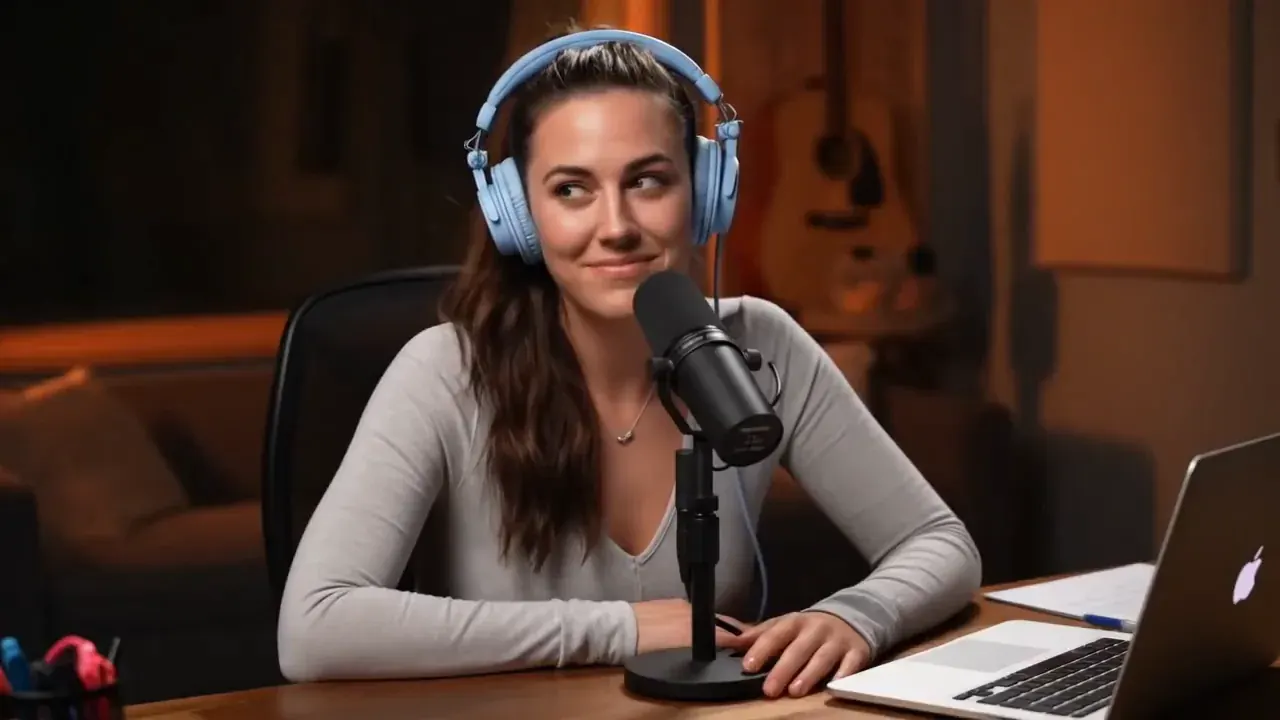
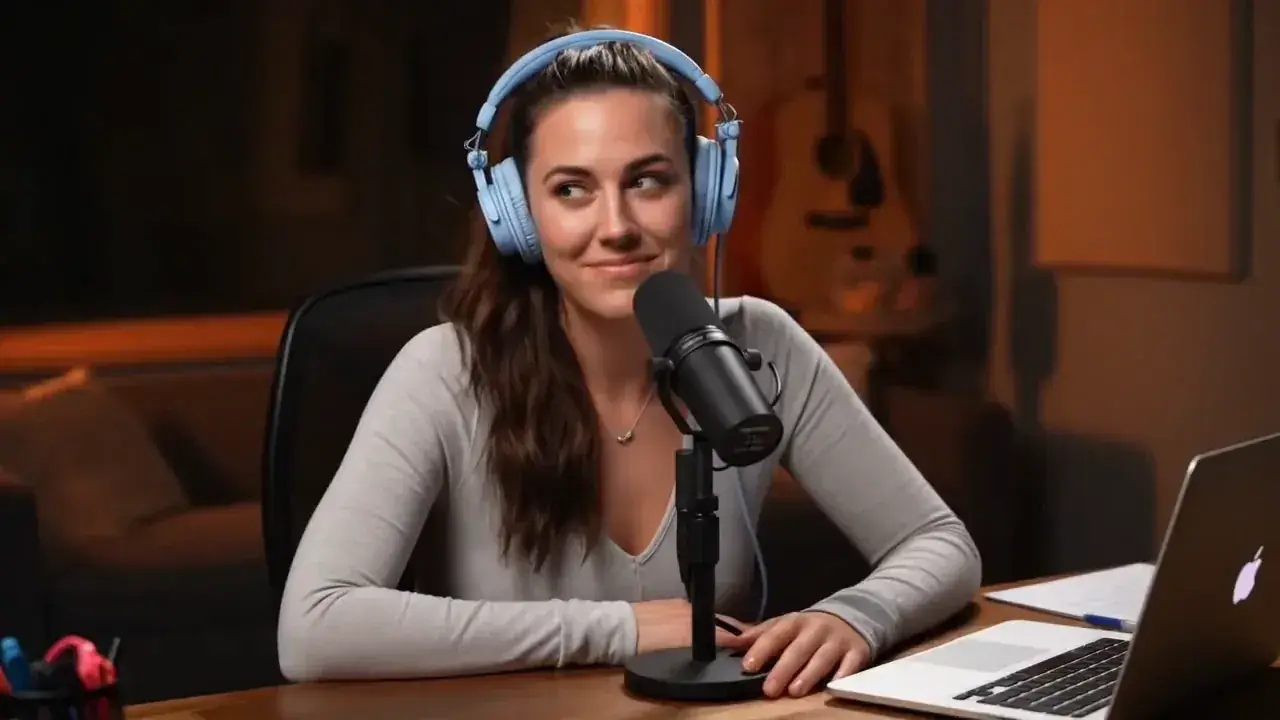 8s · 16:9 · 768P
A photo and one sentence
One still photograph,
and the voice that comes with it
Nothing is painted onto your picture. The photograph becomes the opening frame of a shot in which that person is speaking, and the voice is generated in the same pass — so there is no audio file to make first.

Your photograph
Generated — picture and sound together
Four to fifteen whole seconds at 24 fps, 768P or 2K, in eleven languages we have run end to end. JPG, PNG, WEBP, HEIC and HEIF all go straight in, which is worth saying because most photographs of people are phone photographs and most tools quietly make you convert first. A phone snapshot often animates better than a polished headshot — retouching removes the texture that motion needs. Teeth, if you have the choice: a closed mouth holds no information about what is behind the lips, so the model invents an interior, and invented interiors are what make a result read as wrong.
- Your photo is frame one
- 001
- Any whole second
- 4–15 s
- Languages run end to end
- 11
- Sound from the same pass
- Stereo
Your photo is frame one
Any whole second
Languages run end to end
Sound from the same pass
- No audio file to make first
- No frame-by-frame timing
- No separate lip-sync pass
What AI lip sync looks like when it comes out right
What you see is what came out — no upscaling, no grading, no second pass. The whole prompt that produced it is printed beside it, not a summary. Press Try this and it drops straight into the box above, at the length and ratio it was made at, so you can change one line and see what moves. Turn your sound on: what you hear came out of the same pass as the mouth saying it.
More worked prompts ↗ 16:9 · 6s
The full prompt, not a summary
Reference the Hitchcock camera movement from Video 1, have the character in Image 2 sing, with the vocals matching Audio 3.
The photograph above, and the six seconds it became
One run, one prompt, exactly as the model returned it
It does not have to be
a photograph of a person
 16:9 · 15s
One personPhotoA reference photograph held across every shot, including a close-up on the mouth — which is where a lip sync either survives at full size or does not. 16:9 · 15s
Two people, one frame165 charactersBoth speak, alternately, and the whole prompt was one sentence long. Speaker tags are there when you need to say who talks first; this run did not use them. 16:9 · 15s
A drawn characterIllustrationPainterly 2D, and the mouth is drawn in the same hand as the rest of the frame. Nothing photoreal anywhere in the shot. 16:9 · 15s
An animal characterAnimalA cat and a mouse, each with a line. The faces are not human and the mouths still land on the syllables.
These four are other people's runs, not ours — which is why they carry the Hailuo mark in the corner and the clips elsewhere on this page do not. That mark is the receipt: each one was published with its prompt by @SimplyAnnisa, @heydin_ai and @ManuAGI01, and you can read every word of all four at those links.
What is not here, because we have not run it: a photograph of a real dog or cat, and a painted portrait. Neither is blocked and both are worth trying — the same position this page takes on the languages past the eleven it has verified. We do not claim what we have not watched come back.
How to lip sync a photo in three steps
The step that decides the result is the first one, and it takes about four seconds to get right. The first two cards are the generator at the top of this page mid-job — the file it took, the line typed into it. The third is what came back.

Drop in a face
A photo works, and so does two to fifteen seconds of footage. One face, looking at the camera, nothing across the mouth. iPhone HEIC files go straight in, and the box reads the file back to you — size, shape, weight — before you have spent anything.
One faceJPG · PNG · WEBP · HEIC![The prompt box of the generator on this page with a line typed into it — (S1) speaks warmly, [English] I have used this every morning for a month — and the counter reading 73 / 7000](/_next/image?url=%2Fmedia%2Ftools%2Fls-ui-prompt.webp&w=1280&q=70)
Say what they say
Type the sentence and a language tag and the voice arrives with it — there is no audio file to make first. The line in the box is seventy-three characters of the 7,000 you are given; everything else is for describing the shot.
73 of 7,000 charactersNo voice to cast- Audio track · 32 kHzLIP-SYNC.MP4
Play it, then change one word
The clip arrives with the sound already in the file. Most people keep the second or third one, not the first — every attempt is saved, so you are editing rather than starting over.
4–15s · up to 2KSound already muxed
The first two cards are screenshots of the box at the top of this page, not a drawing of one. The photograph you upload is never modified — what comes back is a new file. The clip on the third card is MiniMax’s own, published with its prompt in the H3 launch post: the still set the face, a vocal track set the singing, a film clip set the camera move. That run took the audio route; the box above takes either.
What people use AI lip sync for
Four places to start. Each one drops the full prompt behind a finished clip into the generator at the top, at the length and ratio it was made at.
- 16:9 · 8s
A line straight to camera
The whole clip is one person and one sentence. Keep it under about twelve words at six seconds — long sentences at short durations are the usual reason a first attempt disappoints.
 9:16 · 9s
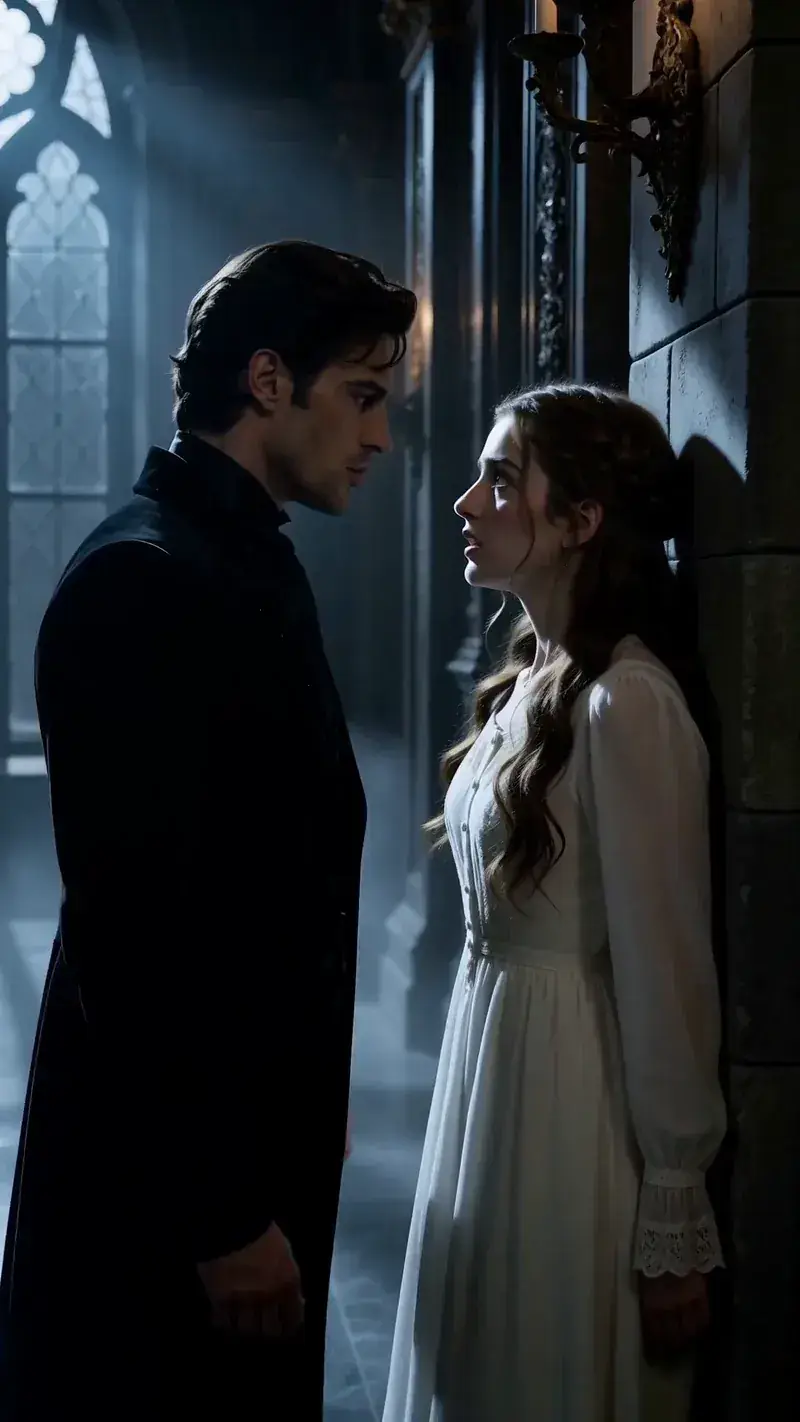
One line of dialogue for a scene
A character says the line in the shot you already imagined. Describe the person as well as the words — clothing, hair, one distinguishing feature — and the face stays put across the clip.
 9:16 · 15s
Someone talking about a product
Person still plus product still, and the spoken lines written shot by shot. This is the one that runs the full fifteen seconds, so it is also the one that shows you where the ceiling is.
 16:9 · 15s
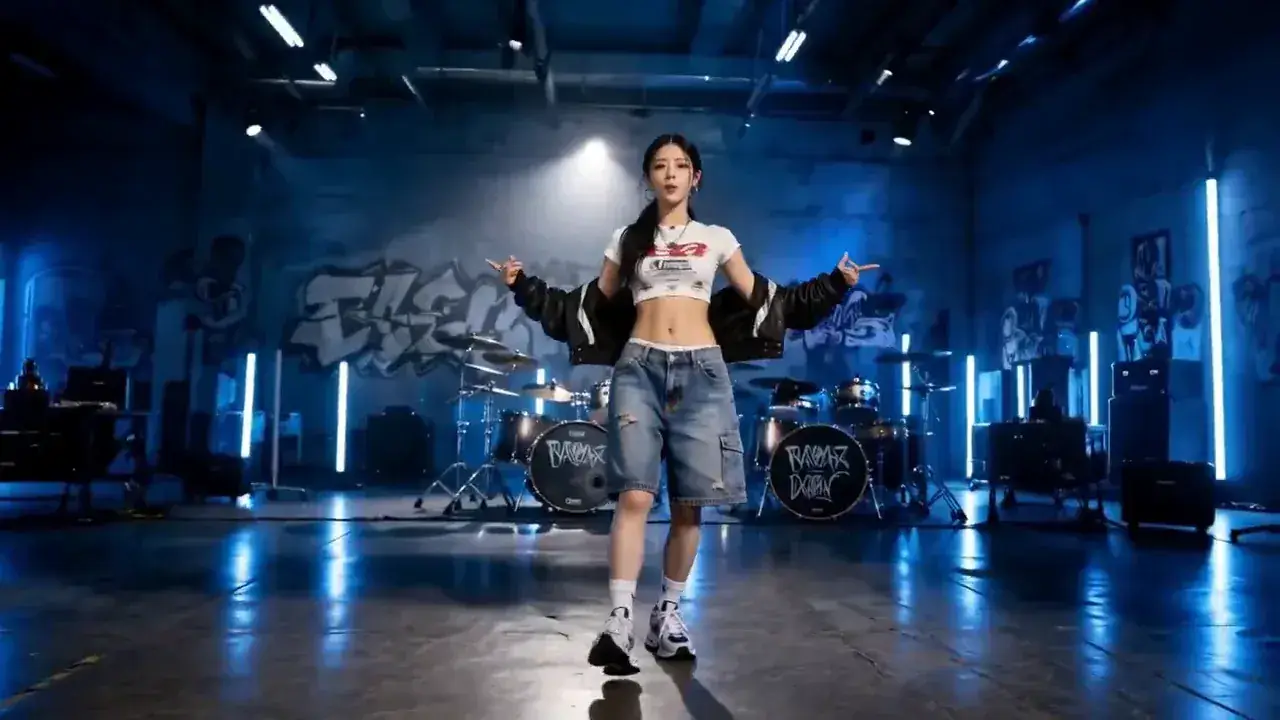
A vocal, not a spoken line
Set the tone to sings, or upload the vocal and let it drive the mouth. The uploaded track becomes the finished soundtrack rather than a reference for one, and uploading it is not billed. Keep the clip at least as long as the track.
Starting from a video and the original pixels have to survive? That is dubbing, and a crop-and-paste tool does it better than this page — everything here rebuilds the shot rather than editing it.
Eleven languages, and the line format that drives them
Eleven we have run end to end — in each one the mouth is shaped from that language's own sounds rather than from an English approximation of them. Write the spoken line in its own language and the delivery lands; write it in English with a language tag and it does not. How the line is written has the format.
Eleven verified for lip sync
11
- Arabic
- Chinese
- English
- French
- German
- Italian
- Japanese
- Korean
- Portuguese
- Russian
- Spanish
For scale: Google's own documentation for Veo 3.1 says English is fully supported and other languages have not been evaluated. Need the same face or the same voice across several clips? Use reference to video.
What you can inspect, what a run costs, and what a plan changes
One thing up front: this is a paid tool. A lip sync with no sound is not a lip sync, so this page runs MiniMax H3 rather than the silent picture-only engine, and there is no trial run to hand you. What you can do without paying is inspect the work: every clip above plays and downloads without an account, with the prompt that made it. A run starts at 18 credits — four seconds at 768P, the shortest the model makes. Every attempt is saved, and the second one is the one that matters, because almost nobody keeps the first clip. Going up a plan buys more credits each month, 2K on longer clips without rationing, and a lower cost per finished second.
How this is billed
- Billed by
- output second
- Failed generation
- refunded
- Audio you upload
- not billed
- Clips on this page
- plays · no account
Same monthly credits either way
- FreeNo card
One clip with no account, on the free engine. The MiniMax H3 AI video generator itself is paid.
$0foreverNo credit card at any point
Start freeBot check only — no email
1 clip, no account
Agnes Video V2.0 · 16:9 · 5s · silent
Sign in free — 3 clips a day on Agnes, silentAny pack from $9.9 unlocks the MiniMax H3 AI video generator — every mode, 768P and 2K
- MiniMax H3 at native 2KPaid only
- Native audio with the picturePaid only
- One clip, no account
- 1 clip at a time
- Failed clips cost nothing
- Private generation
- Any pack unlocks the MiniMax H3 AI video generator on every mode
Free is a different engine. See plans
Speed & queue
- Queue
- Free lane
- Jobs at once
- 1
- Batch
- 1
- History kept
- 24h · 7 days signed in
- Support
- Community
- LiteSave 33%
Unlock the MiniMax H3 AI video generator at native 2K. The smallest paid plan — Pro is the one most people pick.
$9.9/mo$14.9$118.8 billed yearly · Save $60 a year
7-day refund · cancel anytime
1,000 credits / month · ~55 videos
4s · 768P · text to video
or ~29 at 4s 2K
Same credits monthly or yearly
- MiniMax H3 at native 2K — with native audio
- Dialogue, effects and music in the same file
- Up to 15 seconds15s
- ~55 videos a month at 4s 768P, text to video
- Failed clips cost nothing
- 7-day refund if credits are unused
- 1 job at a time
- Batch 2 variants of one prompt
Personal and evaluation use — commercial rights come from MiniMax
Speed & queue
- Queue
- Standard
- Jobs at once
- 1
- Batch
- 2
- History kept
- 7 days
- Support
- Email · 48h
- Recommended for mostProSave 33%
$30 more than Lite. ~166 videos a month, same MiniMax H3 AI video generator, faster queue.
$29.9/mo$44.9$358.8 billed yearly · Save $180 a year
7-day refund · cancel anytime
3,000 credits / month · ~166 videos
4s · 768P · text to video
or ~88 at 4s 2K
Same credits monthly or yearly
- Everything in Lite
- ~166 videos a month at 4s 768P, text to video
- 3 jobs at once3×
- Video-to-prompt
- Batch 4 variants of one prompt
- History kept for 7 days
- 7-day refund if credits are unused
Personal and evaluation use — commercial rights come from MiniMax
Speed & queue
- Queue
- Fast
- Jobs at once
- 3
- Batch
- 4
- History kept
- 7 days
- Support
- Email · 12h
- StudioSave 33%
A full month of volume, first in line, and a human who answers in 4 hours.
$99.9/mo$149.9$1,198.8 billed yearly · Save $600 a year
7-day refund · cancel anytime
10,000 credits / month · ~555 videos
4s · 768P · text to video
or ~294 at 4s 2K
Same credits monthly or yearly
- Everything in Pro
- ~555 videos a month at 4s 768P, text to video
- 8 jobs at once8×
- Batch 4 variants of one prompt
- History kept for 7 days
- Priority support in 4 hours
- Lowest credit burn we offer
- 7-day refund if credits are unused
Personal and evaluation use — commercial rights come from MiniMax
Speed & queue
- Queue
- Priority — first in line
- Jobs at once
- 8
- Batch
- 4
- History kept
- 7 days
- Support
- Priority · 4h
Why the mouth holds up
at full resolution
Every other kind of lip sync tool finds the mouth in your picture and replaces it. This one never looks for it — and that one difference is the whole reason the mouth does not read as a patch.
A mouth that does not match the skin
A patch at a different resolution from the face around it, and a line along the jaw that crawls when the head turns. Once you have seen it you cannot stop seeing it — and it was never your photograph’s fault.
A 96-pixel square, pasted back
The usual method finds the mouth, crops a small square around it — often 96 by 96 — generates new mouth shapes at that size and pastes them onto your frame. Everything outside the square never went through the model.
Read the verb a tool uses about itself
Maps mouth shapes onto the face in your video. Blends them into the original image. Onto, into — either way something is being laid over a face that is already there, and the jaw line is where it ends.
A new frame, sound and all, in one pass
MiniMax H3 never finds your mouth, because it is not editing your frame. No crop, no paste, no edge to track: the mouth carries the resolution of the cheeks because there is only one resolution in the picture. The voice comes out of that same pass, so you never get an excited soundtrack over a flat face.
Your original footage does not survive. You get a new clip built from it, not your clip with a new mouth. If you need your own pixels back — a forty-minute course that needs a Spanish soundtrack, say — the crop-and-paste kind of tool will serve you better than this page will.
What the line decides
that the photo cannot
The photo decides whether this works at all. The line decides what you get, how long it runs, and what it costs — and those three are the same decision.
Length is a budget
Output is a whole number of seconds from 4 to 15. At an ordinary speaking pace that is roughly ten to forty words. Write the line first, count it, then pick the duration — doing it the other way round is how you get a delivery racing a clock it cannot beat.
4–15s, whole seconds
One tag is load-bearing
[Language] selects the phoneme set the mouth is shaped from, so it is the tag that changes the picture. (S1) only earns its place when the frame holds more than one candidate speaker — against a single face it changes nothing you can see.
(S1) … [English] …
The character ceiling is not for the line
7,000 characters covers the whole prompt. A spoken line is tens of characters; everything else is the shot — who, where, lit how, framed how. Running out of room is a description problem, never a dialogue one.
7,000 characters
Seconds are the invoice
$0.08 per output second at 768P, $0.13 at 2K. The line sets the length and the length sets the bill, so a fifteen-second take costs nearly four times a four-second one. Most lines worth hearing are short.
$0.08 / s · 768P
None of this is guesswork about the model — the durations and the character ceiling are the published limits, and the per-second prices are the ones on pricing. Want the shot described for you? Prompt generator writes the other 6,900 characters.
Whose face you can use
Your own, one you have permission for, or one that belongs to nobody because you generated it.
- FacesMaking a real person appear to say something they did not say is prohibited by the H3 licence — not public figures, not a stranger's photo.
- VoicesAn uploaded track that clones how a specific person sounds needs to be your own, licensed, or synthetic.
- ReportingThe report link is on every page and on every result. Accounts that keep coming back get closed.
- MinorsNever upload a photo or a clip depicting a minor.
- Your uploadsNot used to train anything. You can delete them, and your account, at any time.
- Commercial rightsPersonal and evaluation use on every plan, paid ones included. Commercial rights come from MiniMax directly, through Hailuo or the official API. A summary, not legal advice.
AI lip sync FAQ
What to know before you run your first line
Is this AI lip sync generator free?
How do I test without spending much?
Do I need an audio file?
Does the clip come with sound?
Can I lip sync a video I already have?
How long can the clip be?
Which languages work?
Why was the mouth blurry in the tool I used before?
Will it still look like the person in my photo?
What photo should I use?
What if my audio is longer than the clip?
Can it sing rather than speak?
Can I get 2K?
Do I need an account?
Is my result watermarked?
What happens after I press Generate?
Can I use the clips commercially?
What photo formats and sizes work?
Can there be more than one person in the photo?
How long can the line be?
A photo and one sentence.
That is the entire input — and everything above plays whether you sign in or not.
Generate free · queueWritten and maintained by the MiniMax H3 AI Video Generator editorial teamPublished Last updated