AI Horror Video Generator
Write the room tone and the model renders it with the picture — one pass, 32 kHz stereo, no sound-design session afterwards. Which matters more here than anywhere else: in horror the sound is the scare. Four to fifteen seconds of AI horror, 768P or 2K, and the degradation kit — VHS grain, scan lines, chroma bleed, broadcast dropout — is one line of prompt away.
Four clips from the library in this register. The first is the one the measurement further down was run on — turn your sound on for it.
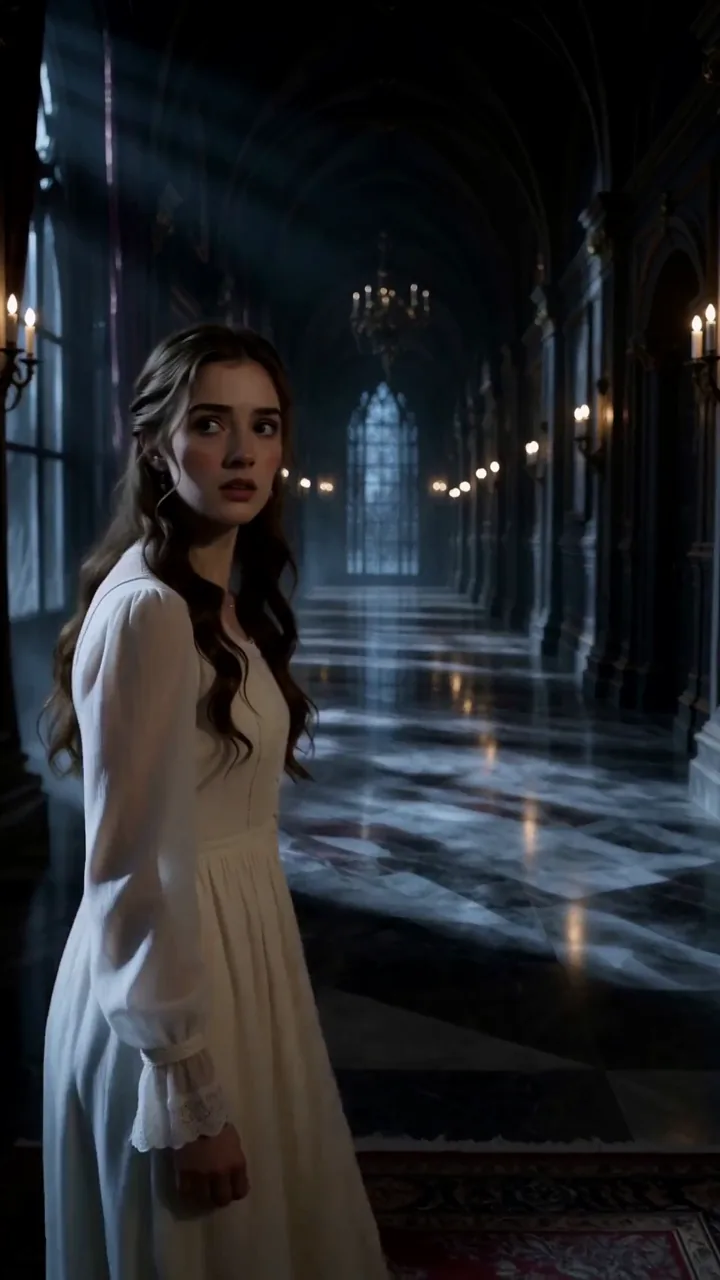
 15s · 9:16 · 768P
The one that goes quiet
Why AI horror is not scary: the monster is not the problem, the sound is
Almost every AI horror video workflow on the internet has the same shape: generate a silent clip, then build the soundscape by hand afterwards in layers — ambience bed, foley, a music cue at the end. That is a reasonable way to work for most genres. For horror it is the whole job, because horror lives in the gap between sounds, and a gap you add in post is a gap you had to notice first.

What we measured
Picture and soundscape, generated together
H3 renders the soundscape in the same forward pass as the picture, so there is no post step to skip and nothing to sync. That moves the problem rather than removing it, and we measured where it moves to: seven official H3 clips, 2,340 half-second windows, and six of them never reach a real noise floor at any point. The model's instinct is wall-to-wall sound. So the craft of AI horror video is not adding sound. It is taking it away on purpose, in the prompt, before the clip exists. The full AI horror measurement, and the prompt behind the exception.
- Official clips that never go quiet
- 6/7
- Half-second windows measured
- 2,340
- Floor of the one that does
- −53.7 dB
- Sound-design passes needed
- 0
Official clips that never go quiet
Half-second windows measured
Floor of the one that does
Sound-design passes needed
- No separate audio model to call
- No syncing effects to picture by hand
- No music bed fighting the scene
- No watermark to pay to remove
The clip the measurement was run on, and the full prompt behind it
Every AI horror clip on this page is what came out — no upscale, no grade, no second pass. Turn your sound on before you open it: the audio came out of the same pass as the picture, and on this clip the audio is the point. It opens on roughly 1.6 seconds below −40 dB, then dips again at 8.5s, 10.0s and 13.9s. That is not a flat track with a quiet intro. That is pacing. The card hands you the prompt in full, at the length and ratio it was made at, so you can change one line and run it again.
More horror prompts ↗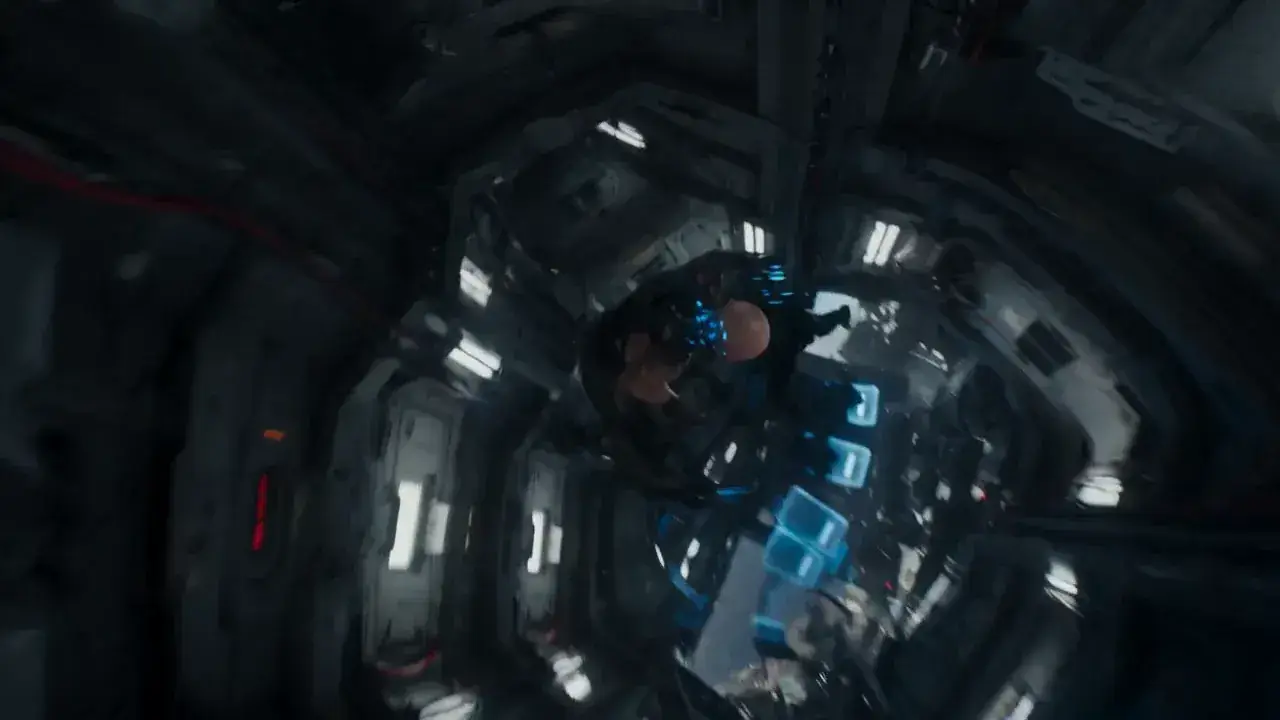 16:9 · 15s · 768P
The full prompt, not a summary
16:9, 15 seconds, 768P. Zero-gravity prison block, weightless inmates drifting slowly against the bars, one hard side light and deep shadow everywhere else. Slow drifting camera, no cuts.
One prompt, one pass — picture and room tone together
None of these were rendered for this page. They are the clips in the library closest to the register, and the gothic teaser in the strip above is the one the loudness measurement was actually run on — we would rather show you four honest clips than four staged ones.
Three ways to make an AI horror video
All three make AI horror video on the same model and the same rate. What changes is how much of the writing you do yourself, and none of them ask you to open an audio editor afterwards.
- 4–15s, 768P or 2K
Generate AI horror video from simple text prompts
One horror sentence in, a clip with its own room tone out. The soundscape is a field in the prompt, not a second job.
- Names the absences for you
Improve your AI horror video prompt with AI
Paste a rough idea and get back the three-field structure H3 expects — including the soundscape and the music field most people leave empty.
- Script → shots → sound → clip
Complete AI workflow from script to video
Horror beat sheet to shot list to finished clip, on one frame grid, without leaving the browser. Reverse it too: drop a reference clip in and get the prompt that would produce it.
Three routes, one rate — 8 credits a 768P second, and the genre wants 768P.
How to make an AI horror video in four steps
Horror is the one genre where the order of these steps matters most. Decide the cut before the resolution and the silence before the monster — both of those are cheap to change now and expensive to change later.

Write the register, not the monster
Say what the horror clip feels like — *restrained, patient, oppressive* — and then name the genre you are refusing: *no blood, no gore, no jump-scare monster, no Halloween styling*. On the measured set, the clip that went quiet was the one that stated its register four different ways and never mentioned sound at all.
RegisterRefusal lineName every absence, one at a time
Write *no footsteps, no breathing, no voices, no doors* rather than *quiet*. In practice *quiet* gets read as *quiet music*, which is the opposite of the instruction. Then put `N/A` into the music field — leaving it empty is not the same instruction as filling it.
Soundscapenon_diegetic_music: N/A
Put the beat on a frame that exists
At 24 fps, `00:07.400` is frame 177.6 and there is no such frame, so you have handed your timing to a rounding step. `00:07.000` is frame 168. Ask for 192 frames — 8.000 seconds — which is the only whole second in the usable range.
192 frames8.000sRender at 768P and expect to run it again
Horror wants degradation, so 2K is working against you — this is one of the rare cases where the cheap tier is the correct tier. Plan on three or four takes before one is worth keeping, because you are chasing a feeling rather than a checklist.
768P3–4 takes
Nothing in those four AI horror steps happens after the clip renders. The whole sound-design pass the rest of this category runs is replaced by two fields in the prompt.
Five checks that decide whether your AI horror is frightening
Each of these is one line in your AI horror prompt, and each is something the measurement or the failure list actually turned up. Run them before you spend a take.
The music field is filled, not empty
An empty `non_diegetic_music` is not an instruction. The model scores the scene anyway, and it will score the part you wanted silent. Write `N/A` into it.
non_diegetic_music: N/A
The absences are itemised
*No footsteps, no breathing, no voices, no doors.* Four clauses, not one word. The single most common failure on this page is a narrator nobody asked for, and it comes from writing *quiet*.
Four clauses, not 'quiet'
The room tone has a pitch
A fluorescent ballast works because it has a note, and a note can stop. Wind and traffic have no edge to cut, so there is nothing to take away at the beat. The scare needs a sound with an edge on it.
Ballast hum, not wind
The figure is out of focus and never moves
Focus it, light it or animate it and it turns faintly comic, because the moment the model has to commit to a face its taste shows. Out of focus hides the hardest thing in the frame and is scarier besides.
out of focus · never moves
The picture changes and the sound does not
Hard cut to the identical framing with something new in it, and hold the audio flat across the cut. The viewer's first reaction is to doubt what they saw, and the doubt is the effect.
Audio unchanged across the cut
These five are why this page exists. Not one of them is about the monster, and four of them are about sound.
The three things this model does badly are the three things horror wants
Every diffusion video model loses skin detail through the VAE, comes apart at distance and smears fast motion. Product work fights all three. Analog horror pays for plugins that fake all three, which is why AI horror is one of the few genres that gets more from a model's defects than from its strengths. This is one of the very few genres where you should aim a model at what it does worst.
Faces lose detail through the VAE
In a product shot that is a defect you work around. Here it is a face you cannot quite resolve, which is the single most reliable effect in the genre.
Distant figures come apart
The far end of a corridor is exactly where you want a shape the eye cannot finish. The model's failure at distance renders the thing a horror artist would spend an afternoon compositing.
Fast motion smears
Tape drag, tracking error, a frame that arrives late. On a dance clip that is a re-render; on a VHS conceit it is the format.
The soundscape is generated with the picture
32 kHz stereo out of the same pass. It is the one part of the pipeline the rest of this category still does by hand, and in this genre it is the part that decides whether the clip works.
Fifteen seconds is a hard ceiling, and you cannot slow-burn in fifteen seconds. A slow burn needs establish, hold, break; fifteen buys you hold and break. So this shape inherits dread rather than building it — frame one already has to feel wrong, and everything after it is payment.
Four horror registers that work inside fifteen seconds
Each horror register loads a prompt from the library at the length and ratio it was made at. None of them needs a monster and none of them needs blood.
- 9:16 · 15s
Analog horror / found footage
VHS grain, a tracking line, a corridor that does not change. The degradation is the whole aesthetic, which makes it the cheapest thing on this list to render.
- 16:9 · 15s
Liminal space / backrooms
An interior with nobody in it, lit wrong. Nothing happens, and the fact that nothing happens for eight full seconds is the payload.
- 1:1 · 8s
Dread from the camera alone
No degradation, no figure — just a move that will not stop and a room that keeps not showing you the thing. The hardest of the four, and the one that reads as film rather than as a filter.
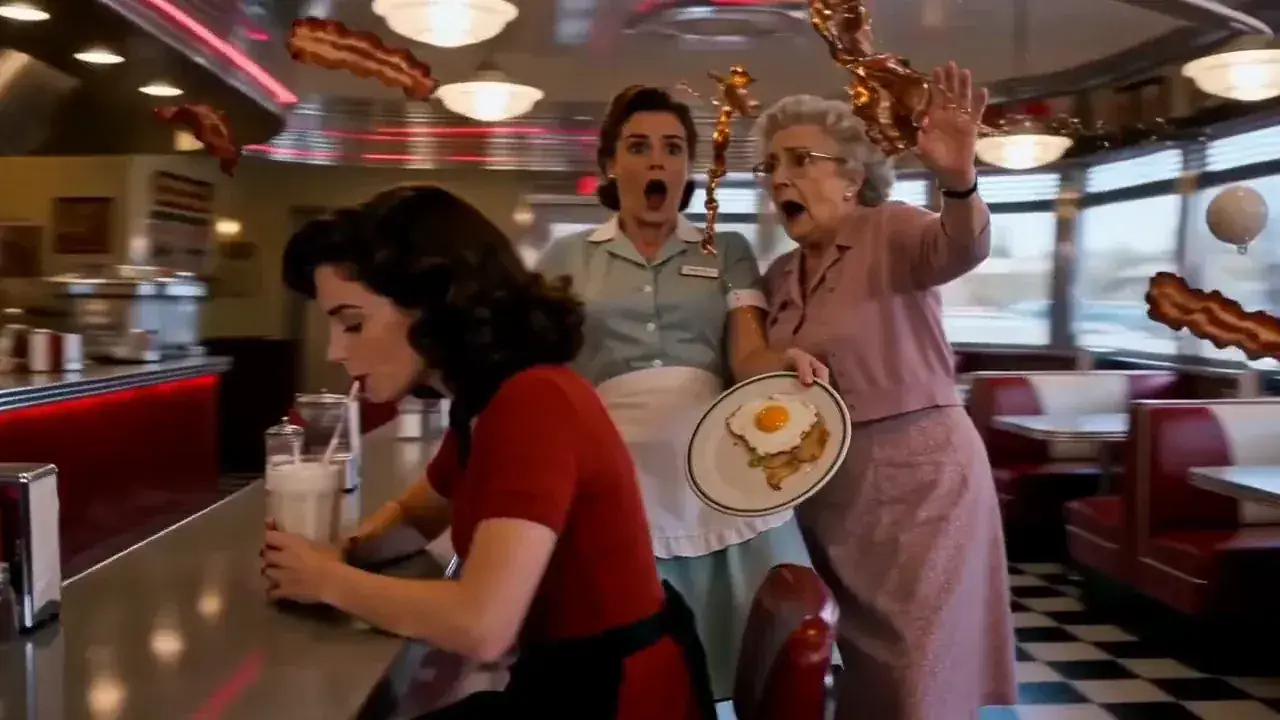 16:9 · 15s
The uncanny freeze
One ordinary scene with a single rule of the world broken, played straight. Comedy and horror are the same shot here; the register line is what decides which one you get.
All four sit inside the same content policy for one reason: they work through degradation and absence rather than gore. Writing *no blood, no gore* into a prompt is not only taste — it clears a filter.
Eight seconds at 768P is 69 credits, and 768P is the right tier here
A clip costs a flat 5 credits for the pass that reads your prompt, plus 8 credits a second at 768P. Do not reach for 2K for horror: the genre wants degradation and the extra resolution works against you, so the cheap tier is the correct tier and the difference buys the extra takes that actually produce a keeper. Budget three or four takes — call it around 276 credits for one you keep.
How this is billed
- Billed by
- output second
- 768P second
- 8 credits
- Per clip
- 5 credits, any length
- 8s at 768P
- 69 credits
- Failed render
- refunded, no form
- 21:9
- same as 16:9
Same monthly credits either way
- FreeNo card
One clip with no account, on the free engine. The MiniMax H3 AI video generator itself is paid.
$0foreverNo credit card at any point
Start freeBot check only — no email
1 clip, no account
Agnes Video V2.0 · 16:9 · 5s · silent
Sign in free — 3 clips a day on Agnes, silentAny pack from $9.9 unlocks the MiniMax H3 AI video generator — every mode, 768P and 2K
- MiniMax H3 at native 2KPaid only
- Native audio with the picturePaid only
- One clip, no account
- 1 clip at a time
- Failed clips cost nothing
- Private generation
- Any pack unlocks the MiniMax H3 AI video generator on every mode
Free is a different engine. See plans
Speed & queue
- Queue
- Free lane
- Jobs at once
- 1
- Batch
- 1
- History kept
- 24h · 7 days signed in
- Support
- Community
- LiteSave 30%
Unlock the MiniMax H3 AI video generator at native 2K. The smallest paid plan — Pro is the one most people pick.
$16.9/mo$24.9$202.8 billed yearly · Save $96 a year
7-day refund · cancel anytime
750 credits / month · ~20 videos
4s · 768P · text to video
or ~13 at 4s 2K
Same credits monthly or yearly
- MiniMax H3 at native 2K — with native audio
- Dialogue, effects and music in the same file
- Up to 15 seconds15s
- ~20 videos a month at 4s 768P, text to video
- Failed clips cost nothing
- 7-day refund if credits are unused
- 1 job at a time
- Batch 2 variants of one prompt
Personal and evaluation use — commercial rights come from MiniMax
Speed & queue
- Queue
- Standard
- Jobs at once
- 1
- Batch
- 2
- History kept
- 7 days
- Support
- Email · 48h
- Recommended for mostProSave 30%
$32 more than Lite. ~47 videos a month, same MiniMax H3 AI video generator, faster queue.
$39.9/mo$56.9$478.8 billed yearly · Save $204 a year
7-day refund · cancel anytime
1,775 credits / month · ~47 videos
4s · 768P · text to video
or ~31 at 4s 2K
Same credits monthly or yearly
- Everything in Lite
- ~47 videos a month at 4s 768P, text to video
- 3 jobs at once3×
- Video-to-prompt
- Batch 4 variants of one prompt
- History kept for 7 days
- 7-day refund if credits are unused
Personal and evaluation use — commercial rights come from MiniMax
Speed & queue
- Queue
- Fast
- Jobs at once
- 3
- Batch
- 4
- History kept
- 7 days
- Support
- Email · 12h
- StudioSave 30%
A full month of volume, first in line, and a human who answers in 4 hours.
$99.9/mo$142.9$1,198.8 billed yearly · Save $516 a year
7-day refund · cancel anytime
4,425 credits / month · ~119 videos
4s · 768P · text to video
or ~77 at 4s 2K
Same credits monthly or yearly
- Everything in Pro
- ~119 videos a month at 4s 768P, text to video
- 8 jobs at once8×
- Batch 4 variants of one prompt
- History kept for 7 days
- Priority support in 4 hours
- Lowest credit burn we offer
- 7-day refund if credits are unused
Personal and evaluation use — commercial rights come from MiniMax
Speed & queue
- Queue
- Priority — first in line
- Jobs at once
- 8
- Batch
- 4
- History kept
- 7 days
- Support
- Priority · 4h
What AI horror video is allowed to be
The question nobody on the first page of AI horror results seems to answer, and the one every horror creator actually has.
- GoreGraphic violence is refused at the input gate, before a second is billed. Analog horror does not need it — and writing *no blood, no gore* into the prompt is what keeps a borderline scene on the right side of the filter.
- CharactersNo named third-party characters. Backrooms, liminal spaces and unbranded dread are yours to use; someone else's monster is a fight with a legal department rather than a content policy.
- FacesDo not put a real, identifiable person into a horror scenario without their consent. That is the one rule on this page with a name attached to it.
- RightsOutput here is for personal and evaluation use on every plan, paid ones included. This site cannot grant commercial rights to model output.
AI horror video generator FAQ
The eight AI horror questions that come up most, answered with the numbers behind them.
Is this AI horror video generator free?
Do I have to add the sound afterwards?
How do I get it to be silent?
How long can an AI horror clip be?
Should I render horror at 2K?
Will a horror prompt get blocked?
Why does my monster look comic?
Do I need to install anything?
Write the silence first.
One corridor, one flickering tube, and a hum that stops at frame 168. That is an AI horror video in three clauses. The free engine will run a clip without an account.
Generate free · queueWritten and maintained by the MiniMax H3 AI Video Generator editorial teamPublished Last updated