P—02 / SNEAKER PAINT BURST

Product transformation prompt for MiniMax H3

The only prompt here written as JSON — and the clearest look at how H3 reads a prompt.

A white canvas sneaker floats, spins, gets hit by a burst of paint and lands as a different shoe. What makes it worth its own page is the shape of the text: seven labelled keys instead of a paragraph. H3 does not require JSON, but it reads a labelled prompt more literally than a prose one, and this is the cleanest example of the difference on the whole site.

Steps
One shot
Mode
Text to Video
Duration
8s
Ratio
16:9
Resolution
2K
Audio
Whoosh + impact, no music
Cost
$1.04

Reference render — not generated on this site. Source: clipdance.ai

Output reference

A white canvas sneaker spins mid-air and is hit by a burst of black and neon green paintVideo
The clip
864 / 7000

Images 0/9 · Clips 0/3 · Audio 0/3 · 12 files max

Sign in free · 3 clips a day

No card, no account: watch and download 12 real MiniMax H3 clips, and run one prompt of your own on Agnes Video V2.0 — 16:9, watermarked, once. After that, sign in free for 3 clips a day on the free engine. MiniMax H3 on your own prompt starts at $24.9 a month.

1 FREE CLIP · WATERMARKED

01 — Inside

One prompt, one workflow

The clip beside the verbatim source. Copy it into the console above, change what you need, generate.

Reference output

A white canvas sneaker spins mid-air and is hit by a burst of black and neon green paintVideo
The clip
The promptthe clipMiniMax H3 · Text to video
864 chars

The transformation

Seven keys, each holding exactly one decision: scene, style, camera, subject, background, light, audio.

{ "scene_description": "A white classic low-top canvas sneaker floats mid-air, slowly spinning. Suddenly, a burst of vibrant paint splashes across it — black and neon green. The shoe transforms instantly into a bold fashion-forward version in black with acid green details. In the blurred background, a skatepark can be seen, but the focus remains solely on the shoe.", "visual_style": "high-fashion streetwear", "camera_movement": "slow-motion rotation of the sneaker, locked-on shot with shallow depth of field", "main_subject": "unbranded canvas sneaker transforming mid-air from classic white to black and neon green", "background_setting": "blurred skatepark with ramps and urban textures", "lighting_mood": "even, soft light with focus on colour contrast and texture", "audio_cue": "slow whoosh, paint burst impact, subtle tone shift at the transformation" }

4 levers

Make it yours

What is safe to change. Most libraries publish only this list, which is why so many copied prompts come back worse than the original.

  1. 01

    The two colours

    Black and neon green appear in three keys — scene, subject, and by implication in lighting. Change them in all three or the model splits the difference and you get a muddy third colour on the second half of the shot.

  2. 02

    The product

    Swap the sneaker for a bottle, a headset, a handbag. Keep the structure: an object at rest, an event that hits it, an object visibly changed. That three-part shape is what the prompt is actually specifying.

  3. 03

    The audio cue key

    This is the only prompt in the one-shot group that names its own sound, and it is why the transformation reads as an impact rather than a dissolve. "Slow whoosh, paint burst impact, subtle tone shift" is three sound events pinned to three picture events.

  4. 04

    The background blur

    "Blurred skatepark" plus "shallow depth of field" is a two-key instruction to keep the setting present and unreadable. Naming a sharper background pulls attention off the product, which for a product shot is the only failure that matters.

Three ways to break it

  • Putting a real brand in the subject key

    The model has seen the brand and will try to reproduce its logo and silhouette, usually badly, and always in a form you cannot put in an advertisement. The original of this prompt named a real shoe; we removed it, and the shot is better for it — the model now spends that attention on the canvas texture instead.

  • Letting the keys contradict each other

    Labelled prompts are read more literally than prose, which cuts both ways. If scene_description says the shoe is spinning slowly and camera_movement says the camera orbits fast, H3 will attempt both and the shot judders.

  • Adding more keys

    Seven is already near the point where the model starts weighting later keys less. Adding negative_prompt, aspect_ratio or duration keys does nothing — those are API settings, not prompt content — and pushes the keys that do matter further down.

What it does

What the sneaker paint burst template does

This is the only prompt in the library written as a JSON object, and the reason to keep it that way rather than flattening it into a paragraph is that it demonstrates something you cannot see from prose examples: H3 reads a labelled prompt more literally than an unlabelled one.

That literalness is a tool with two edges. In this shot it is entirely a benefit. "Camera_movement: slow-motion rotation, locked-on shot with shallow depth of field" is a single unambiguous instruction, and because it sits in its own key it does not have to compete with the paint burst for the model's attention. Written as prose in the middle of a sentence about splashing paint, the same words routinely get absorbed into the action and you get a camera that moves with the impact instead of holding through it.

The seven keys also make the prompt auditable in a way a paragraph is not. You can look at this text and answer, in about four seconds, what the background is, what the light is doing, and what it is supposed to sound like. When a run comes back wrong you know which line to edit. That is worth more on a product shot than on anything else here, because product shots get iterated on ten times and creative shots get run once.

The audio_cue key deserves its own note. It is the only one-shot prompt here that names its own sound, and the result is visible in the clip: the tone shift lands on the same frame as the colour change. H3 generates audio and picture together from one prompt, which means an audio line does not just add sound — it constrains the timing of the picture. "Paint burst impact" tells the model there is a single moment of impact, not a gradual wash, and the picture obeys.

One thing this prompt does not need is a duration or an aspect ratio key. Those are API parameters. Writing them into the prompt text is the most common mistake we see in copied prompts: it consumes characters, it does not change the output shape, and it makes the prompt look authoritative in a way that hides the fact that the actual setting was never changed.

We edited one thing from the source. The original named a real sneaker brand. We replaced it with "classic low-top canvas sneaker" and, separately, "unbranded". The shot did not get worse — it got cleaner, because the model stopped budgeting attention for a logo it renders unreliably and spent it on the canvas weave instead.
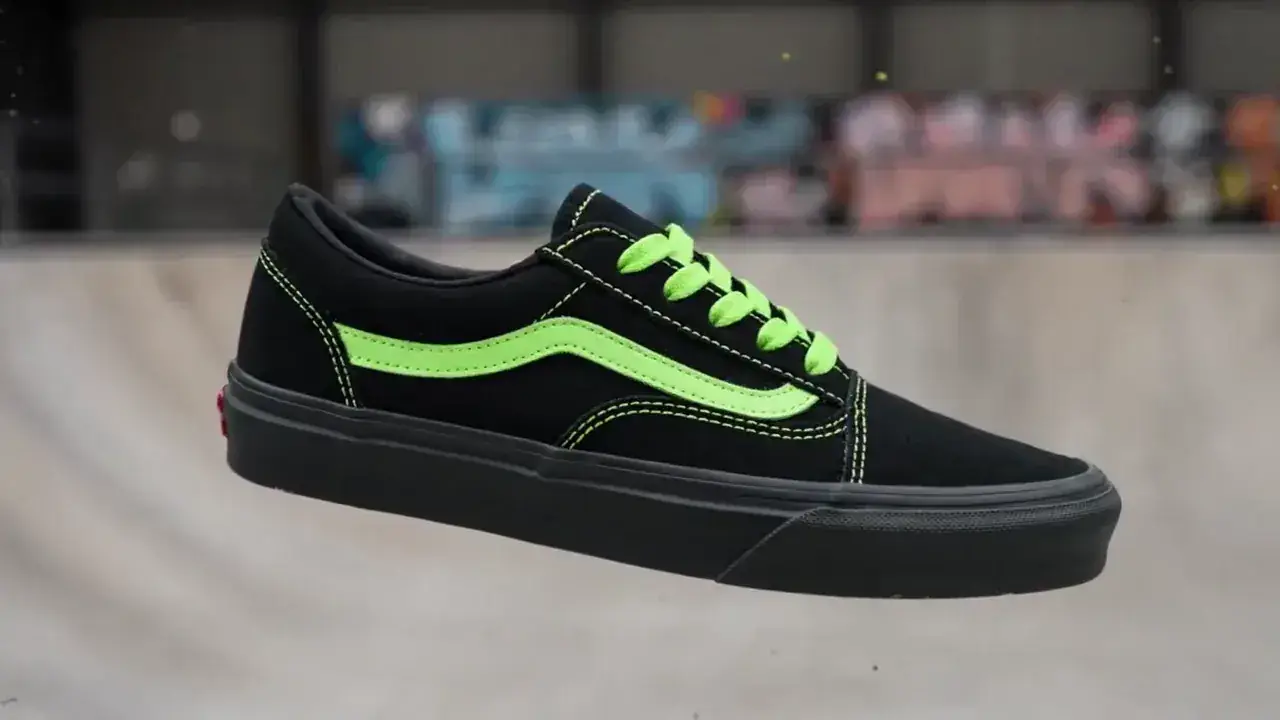
Everything here runs in text to video.

6 questions

Sneaker paint burst — common questions

  • 01

    Does MiniMax H3 require prompts to be JSON?

    No. Plain prose works, and most of the templates here are prose. JSON is a way of making each decision unambiguous, which pays off on product shots that you plan to iterate on.

  • 02

    Will H3 render text or a logo on the shoe?

    It will try if you ask, and the result is usually unusable at product-shot scale. Keeping the subject unbranded is both safer and sharper.

  • 03

    Why does the paint colour appear in more than one key?

    Because scene_description and main_subject are both read, and a colour named in only one of them gets averaged against whatever the other implies. Repeat it in both.

  • 04

    Can I put the aspect ratio and duration in the JSON?

    You can, and it will be ignored. Ratio, duration and resolution are request parameters, not prompt content.

  • 05

    How much of the eight seconds is the transformation?

    Roughly the middle second. The prompt gives the model a rest state, one event and one result, and at eight seconds that reads as about three-one-four in seconds.

  • 06

    Does the audio_cue key actually change the picture?

    Yes, indirectly. H3 generates both tracks from one prompt, so naming a single impact tells the model the change is instantaneous rather than gradual, and the picture follows.

Copy it, change three things, run it.

Every character is on this page. 8s at 2K costs $1.04.

Generate free