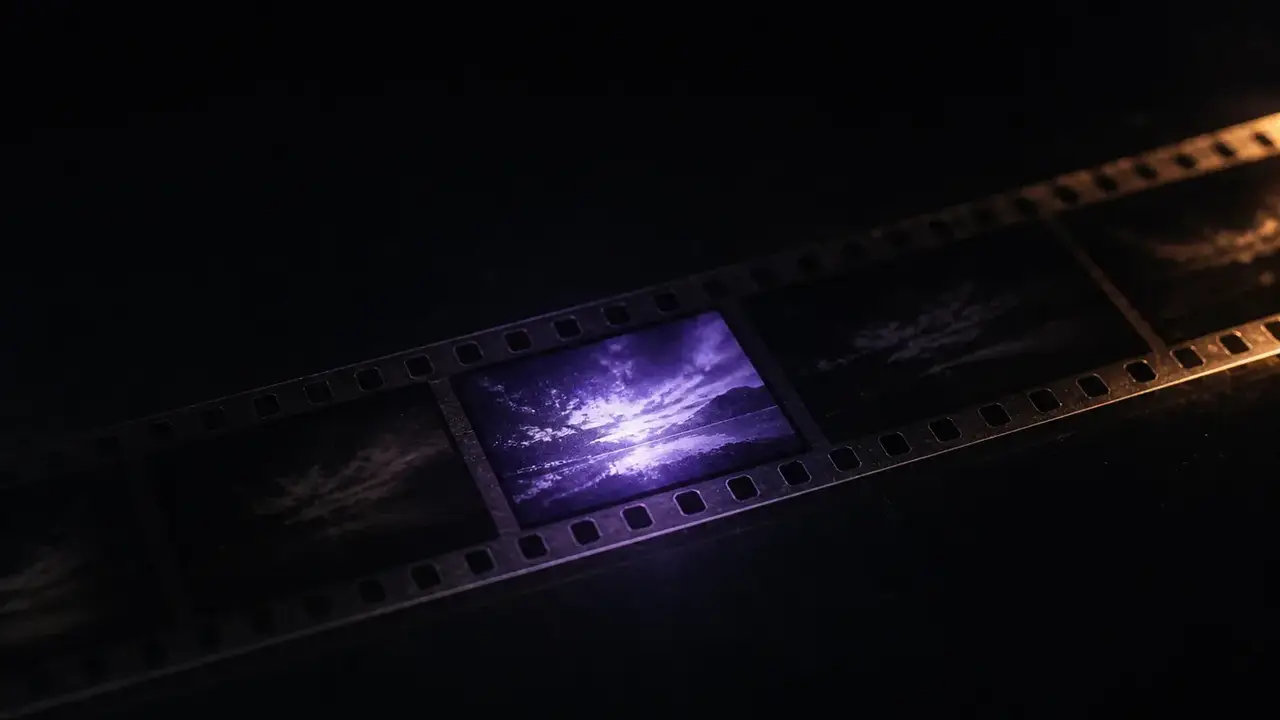
You can describe the idea for twenty minutes, or you can play it for fifteen seconds. Drop in a product photo or write the shot, and get back a spot with the music, the voice and the room already in it — enough to put in front of a client tonight. Your first one is free. No card.
Four ad registers from MiniMax's own published examples. Each card opens the full prompt.
15s · 9:16 · official
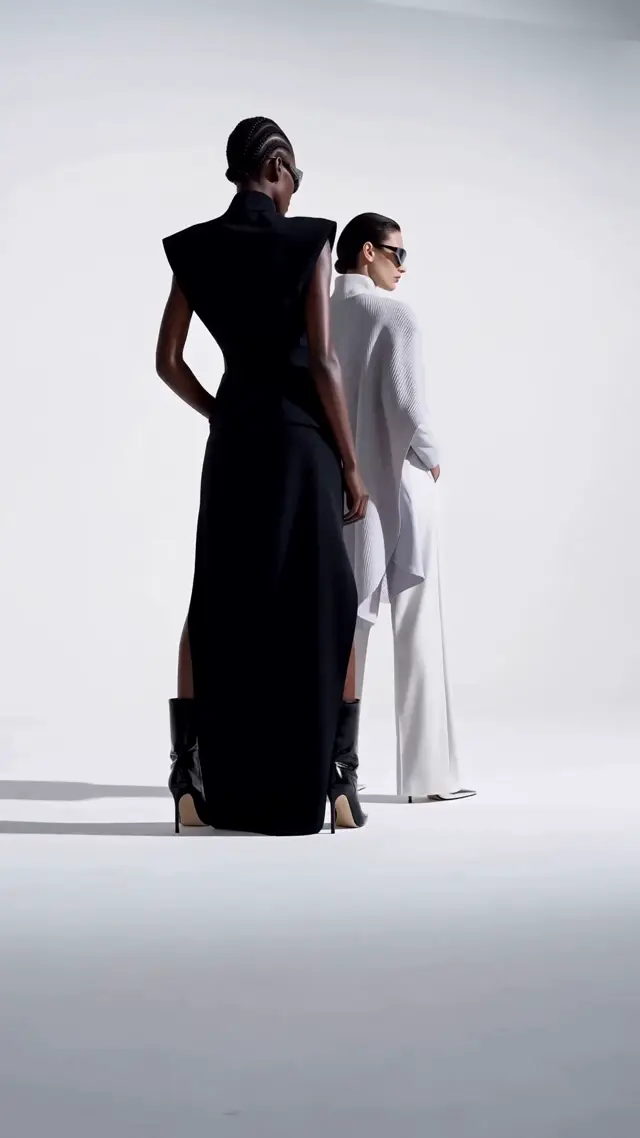
Fashion campaign
Prompt in, spot out
The prompt on the left. What it gave back on the right.
Four ad registers, and the complete prompt behind each — printed whole, because a working prompt for this model is a paragraph of timed beats and an abbreviated one teaches you nothing. Press the button under any of them and it loads straight into the generator above. Then swap your product in. These four are MiniMax's own published examples, not ours, collected under CC BY 4.0 — which is why the prompt can be printed whole and verbatim rather than paraphrased. Source.
Fashion campaign9:16 · 15s · 3 reference images + a video
A reference video controls the shot rhythm and edit speed; separate images control the models and the eyewear. This is the stack to copy when the client has already pointed at a film and said "like that".
Generate a vertical 9:16 high-fashion eyewear advertisement, overall referencing the given video's storyboard rhythm, editing speed, white studio texture, and cool, fashionable atmosphere. The visuals are in a minimalist white studio, seamless white background, with a strong haute couture advertisement feel, clean, simple, handsome, avant-garde, international first-line fashion shoot texture. The main visual characters reference Image 1, two full-body female models, one Black female model, one European/American female model, maintaining their clothing's high-end feel, body posture, white studio lighting, fashion runway temperament, and overall cool attitude. Both wear futuristic high-end glasses, the glasses design references Image 3, emphasizing the wrap-around curved surface, sharp geometric cat-eye/goggle hybrid silhouette, mirror reflection, streamlined temple arms, and high-fashion accessory texture. The facial details of the two characters reference Image 2.
Product macro9:16 · 15s · 2 reference images
One object, one move, one light. The e-commerce hero shape — and the register where giving the model a photograph matters most, because the reader is being asked to judge a material.
Shot 1: High-end office Herman Miller black ergonomic chair 360-degree display. Close-up of breathable mesh back with air flow visualization. Shot 2: Lumbar support + ergonomic curve engineering animation. Multi-dimensional adjustment armrest/seat height demonstration. Shot 3: Designer/programmer/creative professional long-term office scene, posture relaxed and natural. Shot 4: 3D skeletal support schematic for sitting without fatigue. Shot 5: Spatial aesthetics interior display. Ending with the on-screen text "Inspiration and Comfort Online Simultaneously" appearing. High-end minimalist, cool color tone, professional futuristic feel, slow-paced camera movement. Product details reference Image 1, product image reference Image 2.
Campaign film16:9 · 15s · 4 reference images
Cut between wide campaign frames and macro on the detail that justifies the price. 16:9 because this one is for the deck and the pre-roll, not the feed.
Produce a 16:9 horizontal high-end fashion brand video. The overall atmosphere, scenes, and film texture reference Image 1; the bag asset references Image 3; the character asset references Image 2; the brand ending logo references Image 4. This is a fashion campaign selling clothes and bags. The overall temperament should be high-end, cool, restrained, but the editing should not be boring; it should be more agile and have a fashionable rhythm. Do not make it like an ordinary drama or an e-commerce advertisement. The core story is still very simple: by a desert road and a retro car, a woman returns to the rear of the car, opens the trunk, takes out a black bag, shares a moment of quiet connection with a man standing by the car, and then she leaves with the bag. The bag and clothing should naturally integrate into the character's actions, becoming part of the character's temperament.
Poster in motion9:16 · 10s · 1 reference image
Legible on-screen type, generated with the frame. The register that proves the model can hold a wordmark — and the one to reach for when the deliverable is key art rather than a film.
Produce a dynamic poster video. Overall, keep the original image's gallery white frame, inner frame, red-white-black color scheme, 3D figurine feel, and layout structure unchanged. When the text appears, pair it with a lively text entrance sound effect.
Official MiniMax H3 examples · CC BY 4.0 · the badge on each clip says what the prompt expects you to supply
Concept, not creative variants
Every other AI ad generator makes variants. You need somebody to see the idea.
If your bottleneck is forty versions of a static for paid social, use one of the scoring tools — that is a real job and they do it well. This is the other job: the meeting where an idea is either funded or it is not, and the only thing standing between you and the budget is that nobody in the room can picture it. A deck describes. A clip plays. That is the whole difference, and it decides more pitches than the idea does.
So the number that matters here is not cost-per-variant — it is what it currently costs to walk into that room with something moving. Boarding a spot is a real line item: a set of polished colour pitch frames runs £800–£3,500 and takes one to three days, a 30-second TVC storyboard £1,800–£3,500, and turning that board into an animatic adds another 25–50% on top. A full boardomatic package is quoted at $5,000–$10,000 over two to three weeks. Those are prices for frames that do not move. A finished commercial is $5,000–$20,000 per minute and up. A four-beat, sixty-second concept film here is 500 credits — about $11 — and you have it before the kettle boils. That is not a claim that it replaces the shoot. It replaces the argument about whether there should be one.
Colour pitch frames
£800–£3,500
Colour pitch frames
Boardomatic package
$5,000–$10,000
Boardomatic package
Four beats here
~$11
Four beats here
Cards to enter
0
Cards to enter
No crew, no location, no talent release, no insurance
No brief-to-board turnaround measured in days
No silent animatic you have to talk over in the room
No watermark to explain, on any tier
What you put in
Four ways into an ad concept, depending on what you already have
The one thing that matters: if the product exists, give it a photograph. A described product is a product the model invents, and a client will spot their own packaging being redrawn before they notice anything else in the frame.
01
Start from a product photo
Upload the pack shot and write what happens around it. The bottle, the box, the label and the logo stay the object you uploaded rather than the model's idea of one — the difference between a concept a brand reacts to and one they spend the meeting correcting.
Best result · 4–15s, 768P or 2K
02
Start from the idea alone
Type the spot. Camera, wardrobe, light, the line that gets spoken and the music underneath all go in one field, and all of it comes back in one file. Best for the stage where you are still deciding whether the idea is any good.
Fastest · nothing to upload
03
Start from the reference they already liked
Hand over the film whose look the client pointed at, plus your product still, and the concept comes back in that register. Up to 9 reference images, 3 clips and 3 audio files in one request — a cap most hosted doors onto this model do not publish.
Closest match · 12 files per request
04
Start from the spot you already have
Hand over the cut that exists — last year’s film, the b-roll, the offline — and it comes back restyled, re-voiced, or carried on past where it stopped. This is the meeting where the brief is “like the old one, but…”, and your own file is never touched.
About four minutes end to end, most of which is you deciding the beats. Nothing to install and nothing to sign before you see whether it works.
21:9
16:9
4:3
1:1
3:4
9:16
456789101112131415
4–15s · whole seconds · 24 fps
01
Pick the frame before you write
9:16 for social and for anything a client opens on a phone, 16:9 for a deck or pre-roll, 21:9 when the point is that it looks like cinema. The ratio changes how you write the shot, so choose it first — and there is no surcharge on any of them.
Six ratiosNo surcharge on any of them
02
Write it as timed beats, not a paragraph
0–3s… 3–8s… 8–12s… 12–15s… Naming the seconds is the single biggest lever on whether the pacing comes back the way you heard it. Put spoken lines in quotes; describe the music in one clause rather than three.
0–3s · 3–8s · 8–12sPacing
Produce a dynamic poster video… red-white-black color scheme, 3D figurine feel, and layout structure unchanged. When the text appears, pair it with a lively text entrance sound effect.
PictureSound
03
Say what the sound is, including the silence
Audio is generated with the picture, not laid over it afterwards — so leave the music unspecified and the model scores the scene for you. Name the bed, name the foley, and if a beat should be dry, write that it is dry.
One field, both channels
Audio track · 32 kHzCONCEPT-01.MP4
04
Draft at 768P, master the keeper at 2K
A 768P second is 8 credits against 13 at 2K, and upgrading a finished 768P clip afterwards costs the same as having rendered it at 2K — so every take you throw away costs you less. A failed generation is refunded automatically.
Fifteen seconds is the ceiling. Here is how a 30-second spot gets built anyway.
This model renders one continuous shot per request, and the hard limit is fifteen seconds. Every honest page about AI ad video has to say that, and almost none of them do — you find out after you have written a sixty-second script. It is less of a problem than it sounds, because a spot was always a sequence of beats. You are not writing one long take. You are writing four short ones and cutting them together, which is what a boardomatic is too.
01Break the script at the cuts you already have
Hook, product, proof, endframe. Most 30-second spots are four beats and most 60s spots are six. Each beat is one request, and each one can be a different ratio if you want the endframe to letterbox.
hook · product · proof · endframe
02Repeat the look, verbatim, in every beat
Copy the same lighting, palette, lens and grain clause into all four prompts. Changing the wording changes the look. This is the whole trick, and it is why the beats cut together.
same lighting clause, verbatim
03Give the product a photo in every beat that shows it
Not just the hero shot. A pack that is described in beat three and photographed in beat one will not match, and the mismatch is the first thing a brand notices.
re-upload the pack every beat
04Land the cuts on 8.000 seconds where you can
The model renders on a 17n+5 frame grid at 24 fps, so most lengths come back a fraction over — 15s is really 15.083s. 192 frames, exactly 8.000s, is the only whole second in the range, which makes it the beat length that cuts cleanly to a music grid.
192 frames = 8.000s
05Assemble in whatever you already edit in
The files are plain MP4 with 32 kHz stereo. There is no project format to learn and nothing to export from here — four clips go into your timeline and the spot comes out.
MP4 · 32 kHz stereo
Four 15-second beats at 768P is 500 credits, about $11. The same sixty seconds as a boardomatic is quoted at $5,000–$10,000 and two to three weeks.
Why this one and not an avatar tool
A concept film has to look directed, not generated
The category is full of tools that paste a synthetic presenter in front of your product and call it an ad. For performance testing that is fine — nobody watching a feed is grading the cinematography. For a pitch it is fatal, because the room is not judging the product, it is judging whether you can be trusted with the money.
Sound is directed too
The audio is directed too
Dialogue, foley and score are generated in the same pass as the picture at 32 kHz stereo, so the music hits the cut and the footstep lands on the foot. A silent animatic that you narrate over the top of is the version of this that loses rooms.
Your object survives
It holds a real object
Give it the pack shot and the pack survives the shot. This is the single most common failure in AI ad work — the label re-rendered into something adjacent — and it is why the photo route is the recommended one everywhere on this page.
No vertical tax
Vertical costs the same as cinema
9:16, 1:1, 16:9 and 21:9 all bill at the same per-second rate. There is no vertical tax and no 21:9 surcharge, because the upstream bills per second and ignores the shape.
No queue
You can show it to the client tonight
No render queue to book, no revision round, no schedule. The gap between "what if we opened on the bottle" and watching it open on the bottle is about ninety seconds.
What you give up
Precision. This is a concept, not a master — you cannot art-direct a specific frame to the millimetre, hold an actor's face across six shots without reference stills, or get a continuous take past fifteen seconds. If the deliverable is the finished commercial rather than the argument for it, you are still going to shoot.
Registers that work
Four kinds of ad that come back well inside fifteen seconds
Four different jobs, four clips that were actually made this way, and behind each button the prompt that made it. Two of them want reference images of your own — the badge on the clip says which, and the button opens the right door.
16:9 · 15s · 2 reference images
Fashion and fragrance teaser
Low key, one face, no dialogue. Atmosphere is the register diffusion is strongest in, and with no mouth to sync the whole fifteen seconds goes on light, grain and motion instead. This is the model’s own night-fire short — firelight on a leather coat, VHS glitch on every cut.
9:16 · 12s · text only
Creator vertical, cut to the beat
The feed shape: 9:16, handheld energy, a cut on every beat. Look at what the prompt is, though — four bracketed lines naming style, length and ratio, with no timed script at all. Terse spec prompts work here, and the model reads Chinese and English equally well.
16:9 · 15s · 4 reference images
Retail and lifestyle brand film
A person, a place, and a brand that never occupies more than a corner of the frame. Four stills carried across in sequence behind a fixed twin-circle telescope mask — the reference-image job run as one continuous film rather than four shots cut together.
16:9 · 15s · text only
Brand film with no footage at all
No photograph, no plate, no set. Flat motion graphics from text alone, resolving onto a wordmark and a slogan that are both legible — the register to reach for when the product does not exist yet and the deck is due on Thursday.
Three of these are MiniMax’s own published examples, collected under CC BY 4.0; the vertical is @ModengSir’s, with the prompt they posted. None of the four is ours, which is rather the point — each button loads the prompt exactly as it was run. Prefer the two-step route — a still first, then the shot? Four are written up in full: dark-circus perfume teaser · UGC oversized pastry · pet knitwear lookbook · showroom room swap
What it actually costs
A 15-second beat at 768P is 125 credits. Four of them is a concept film.
A clip is a flat 5 credits for the prompt-understanding pass, plus 8 credits per 768P second or 13 per 2K second. One credit is one cent of MiniMax's own published list price, so you can check the whole thing against a page this site does not control. A generation that fails is refunded automatically — you are not paying for the model's bad takes.
The question that decides whether any of this is useful to you, answered before you spend anything. This is the part most AI ad tools bury in a pricing tier.
Commercial useThe free one as well. No watermark on any tier, no per-clip royalty, no separate licence to buy. The prompts you write are yours too. MiniMax claims no rights over the Outputs you generate.
ClaimsAnything you present as a finished ad carries the same advertising rules it always did. A generated demonstration of a product doing something it does not do is a false claim in every market that regulates advertising, whichever tool drew it.
Real peopleDo not upload a photograph of an identifiable person — a founder, a customer, a celebrity — as a reference without their agreement. This is the one that ends in a letter rather than a takedown.
TrademarksPutting a competitor's logo or a licensed character in a concept for internal discussion is one thing; publishing it is another. Nothing here grants you rights in trademarks you do not own.
Measured on real generations rather than read off a model card — the frame grid that decides where your cuts can land, what a 2K second really costs, and how the sound gets written.
The eight questions people actually ask before putting an AI concept in front of a client, answered with the numbers behind them.
01
Is this AI ad concept generator free?
The first clip is, and it is the real model — 4 seconds, 768P, with sound, no watermark, no card, and it never expires. Everything on this page plays without an account at all. After that a 15-second beat at 768P is 125 credits and credits start at $9.9, so a four-beat concept film is about $11. A generation that fails costs you nothing.
02
Can I use the output in a real client pitch, or in a live campaign?
Yes, on every plan including the free one. No watermark, no royalty per clip, no separate commercial licence. MiniMax claims no rights over the Outputs you generate, and this site adds none of its own. What it does not do is grant you rights in someone else's trademark or in an identifiable person's likeness — those are yours to clear, exactly as they would be on a shoot.
03
Can it make a 30-second commercial?
Not as one continuous shot — fifteen seconds is a hard ceiling and any page telling you otherwise is describing a different model. It makes the beats. A 30-second spot is typically four of them: hook, product, proof, endframe. Keep the lighting and lens wording identical across the prompts and they cut together; assemble in whatever you already edit in. That is the same way a boardomatic is built.
04
Will my actual product show up, or will it redraw my packaging?
Give it a photograph and the product stays your product. Describe the product in words and the model will invent a plausible one — which is the single most common way AI ad work dies in the meeting, because a client sees their own label wrong before they see anything else. Upload the pack shot on the image route, and re-upload it for every beat that features it.
05
Does it come with sound, or do I add music afterwards?
It comes with sound, and that is the main reason to use this model for a concept. Dialogue, foley and score are generated in the same pass as the picture at 32 kHz stereo, so the music lands on the cut and a spoken line matches the mouth without a separate lip-sync step. You cannot add it afterwards here — you write it in the prompt, which means naming the silences too.
06
How is this different from AdCreative, Creatify or the other AI ad generators?
Those are performance-marketing tools: they batch out many variants, score them against ad-spend data and push them into your ad accounts. If your bottleneck is testing volume, use one. This is the earlier job — one convincing, cinematic, sounded clip that makes somebody fund the idea. No ad-account integration, no avatar library, no variant scoring. One model, run properly, at a published per-second rate.
07
What aspect ratios and resolutions can I get?
21:9, 16:9, 4:3, 1:1, 3:4 and 9:16, at 768P or 2K, and every one of them bills at the same per-second rate — no vertical tax and no cinema surcharge, because the upstream bills per second and ignores the shape. Output is always 24 fps. There is no 1080p tier and no 4K; several sites ranking for this model list one.
08
Will a client be able to tell it is AI?
Often, and you should not pretend otherwise — present it as a concept film and that stops being a problem, because a boardomatic never looked shot either. Where it gives itself away is hands, small type, and any logo it was asked to draw rather than given. Keep text out of the generated frame, add the endframe and the logo lockup in your editor, and give it a photograph of anything that has to be exactly right.
Stop describing the idea. Play it.
One product photo, one paragraph of beats, and a spot with sound in about ninety seconds. Your first clip is free — no card, no watermark, and it is yours to use commercially.