Every other logo animator takes the file you upload and moves it. This one writes the fifteen seconds your mark arrives in — the type that sets beside it, the room it resolves out of, and the sound that lands on the lock-up, all in the same pass. Your first one is free. No card.
Four brand registers from MiniMax’s own published examples. Each card opens the full prompt.
15s · 16:9 · official
Wordmark to mark
Prompt in, mark out
The prompt on the left. What it gave back on the right.
Four brand registers and the complete prompt behind each, printed whole — including the one that runs to seven thousand characters, because that length is the thing being demonstrated. Press the button under any of them and it loads straight into the generator above. These four are MiniMax’s own published examples, not ours, collected under CC BY 4.0 — which is why the prompt can be printed verbatim rather than paraphrased. Source.
Wordmark to mark16:9 · 15s · 2 reference images
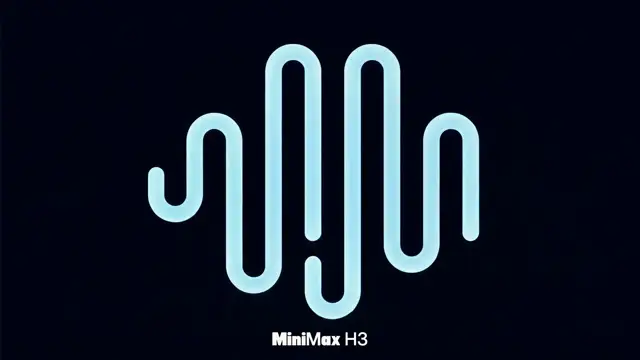
The reveal in its purest form: the mark is one line and one node, and a third of the prompt does nothing but protect the waveform — its path structure, its number of curves, its rounded endpoints, its proportion. That paragraph is what stops a logo being quietly redrawn, and it is the paragraph everyone leaves out.
The exact opening shot of the short. Fully retain the electric blue background, the white "MiniMax" on the left, the light blue octopus Logo in the center, and the white "H3" on the right. Image 2: The target waveform Logo reference after the octopus Logo completes linear morphing, also the core graphic running through the latter half. Strictly maintain the waveform Logo's path structure, number of curves, rounded endpoints, and overall proportion. Generate a strictly 15-second, 16:9, 4K, 60fps abstract tech MG brand short for MiniMax H3. The short expresses the design philosophy of H3 moving from specialized tasks to a general multimodal model: language, images, video, and audio are no longer isolated from each other, but are connected by the same context, the same architecture, and the same continuous line. Overall style is premium, clean, agile, and artistic. Use large areas of electric blue, dark navy blue, light cyan, and a small amount of purple color blocks, paired with clean white bold text. The visuals have ample negative space, avoiding complex icons and information stacking. The core motion element of the entire piece is a light blue continuous line, and a white glowing node at the front of the line.
Title sequence16:9 · 15s · 6 reference images
Names and roles that have to be spelled right and appear exactly once. Notice how much of this brief is prohibitions — no Chinese, no garbled text, no repeated credit, no soft dissolves — and notice that the last third of it is the music, written second by second.
Generate a 15-second 16:9 horizontal light suspense crime movie title sequence. The overall style references the visual language of these images: retro Japanese anime opening, hard-edged silhouettes, comic collage, asymmetric split screen, strong geometric color blocks, English title credits, a small amount of Japanese katakana decoration, jazz crime气质. The atmosphere is 60% suspense, 40% jazz: mysterious, cool, agile, with an urban crime feel, not horror, not heavy, and do not turn it into a cheerful jazz MV. The title motion graphics should be like dynamic graphic collage: black wireframes appear first, split-screen boundaries quickly slide out, color blocks and panels are pasted in piece by piece; character silhouettes, prop close-ups, English credits slide in, pop out, and are revealed by masks following the drumbeat. Do not use ordinary realistic narrative animation; aim for title packaging feel. English credits must be clearly readable, motion graphics are allowed: thin wireframes are drawn first, names slide in from within the frame, letters appear one by one, are revealed by color block masks, and finally pause briefly. Do not add Chinese, do not use garbled text, do not misspell English. Full video rule: All English credits and positions appear only once. Do not repeat the same position, do not repeat the same person's name, do not let the same person hold multiple positions. Transition forms should be rich: circular vinyl record mask, car door vertical cut, character long shadow wipe, red line cut, huge English letter mask, split-screen border reorganization, color block hard cut, panels pasted in piece by piece. All transitions follow the drumbeat, crisp, suspenseful, agile, with a comic collage feel. Do not use soft dissolves, do not use fluid transitions. BGM: Original 15-second title music, 60% suspense, 40% jazz. Composed of sustained low bass, tense string plucks, cool synth pulses, bass drum, sparse jazz drum brushes, walking bass segments, short low saxophone phrases, and short brass accents. The first 2 seconds establish suspense with mysterious low frequencies and hi-hat, the 3rd second enters with a low drum beat, the 6th second adds a jazz bass groove, the 10th second features short saxophone/brass riffs, and the last 2 seconds use tense chords and drum beats to freeze. Overall mysterious, cool, with a crime feel, jazz only accounts for 40%, not too cheerful, do not imitate any existing melody.
Kinetic typography16:9 · 15s · text only
Nothing uploaded. The brief is mostly a list of what is banned from the frame — no characters, no scenery, no icons, no logos, no numbers, no borders, no grids — and what is left standing is the type. Subtraction is the whole technique here.
Overall, it is an experimental video of Chinese dynamic typography on a completely black background. Only white Chinese text is allowed in the frame, with a minimal amount of dark red text for misalignment or emphasis. No characters, scenery, photos, illustrations, icons, products, logos, 3D objects, English titles, fixed UI, numbers, timers, borders, grids, or any decorative graphics are allowed. This is not an ordinary subtitle video, but a high-density kinetic typography short film with "Chinese text itself" as the sole protagonist. The text rapidly appears, enlarges, rotates, compresses, collides, decomposes, proliferates, inverts, and reorganizes on the dark plane. The overall style resembles Chinese dynamic typography experimental videos, text motion showreels, or opening visuals for music events made by graphic designers. The temperament is dark, calm, sharp, rational, inorganic, slightly aggressive, but maintains a high-end, restrained, and unified feel.
Motif over footage16:9 · 15s · text only
Seven thousand three hundred characters and not one uploaded file. One glowing line that becomes ten different things and keeps a trace of each, a camera instructed to run half a beat behind it, and a sound list that explicitly contains no music. This is the ceiling of what a prompt can carry.
【Reference Material Note】No reference material (pure text generation video).
【Core Concept】15 seconds, 16:9 horizontal video. Blend live-action footage of an evening old-style tram carriage with hand-drawn glowing animation: In an empty last-tram carriage, a passenger films with one hand on a phone, encountering a hand-drawn apricot-orange glowing line that continuously transforms in the carriage (ticket → paper swallow → caterpillar → arrow → small sailboat → mini tram → snail → umbrella → small fish → whole carriage sunset cloud sea), finally returning to the ticket shattering into paper scraps. Overall feeling: lifelike, nostalgic, gentle, and slightly melancholic.
【Scene Process Description】0~3 seconds - Forward: Live-action shot starts from the shooter's fingertip casually drawing an arc on a fogged window. The fingertip leaves, the fog trace turns into an apricot-orange hand-drawn glowing line (crayon chalk mixed texture), first sticks to fingertip → wraps around index finger → falls into palm and curls into a ticket → is pressed by the other hand → folded into a flat paper swallow → flies away along the right-hand grab rail. Camera follows half a beat late, first filming the empty palm and reflection, then hurriedly sways right. - Reverse: Do not use steady, advertisement-style composition.
3~6 seconds - Forward: The paper swallow circles the hanging ring once, its tail hooks the grab rail and lightly sways making a plastic collision sound. The shooter reaches out to steady the grab rail, the paper swallow brushes the back of the hand and scatters into a string of hand-drawn commas → connects head to tail to form a glowing caterpillar → crawls along the seat back (leaving apricot-orange powder) → when the shooter bends to look, it stretches into a doodle arrow → after pointing, collapses into a small sailboat and slides away along the seat seam. Camera pushes in a step late, motion blur + brief out-of-focus. - Reverse: Do not introduce new characters; all forms must connect head to tail.
6~10 seconds - Forward: The small sailboat slides on the floor, drifts using the tram's sway, trailing chalk-dust apricot-orange line → the shooter extends foot to block + hand to scoop → the boat slips between fingers and shoes, hits a half-rolled ticket → scroll rolls → the boat is rolled in and emerges from the other side turning into a 2-car mini hand-drawn tram (tram head retains boat tip, windows resemble caterpillar dots) → travels along the floor's black seam line → rushes to the route map, the tram head lifts turning into a flat snail (shell like wheel, body stretches into ticket line) → climbs a metal pole, looks back shaking antennae urging the shooter to chase. - Reverse: Do not use 3D CG.
10~13 seconds - Forward: The snail's antennae touch the door button → an apricot-orange hand-drawn light circle lights up around the button → the shooter tries to press → the light circle bounces open, stretching the snail → turns into a hand-drawn small umbrella (umbrella surface retains snail shell spiral and mini tram window dots) → sticks to the door glass sliding down, umbrella tip knocks on door seam (streetlight from door seam becomes swaying glowing line) → umbrella flips over turning into a hand-drawn fish with bell tail (fish body like umbrella surface, tail like ticket dotted line) → swims below using tail to brush the shooter's wrist (leaving an apricot-orange bracelet trace) → the shooter steps back hitting a seat, the camera tilts then chases to the carriage center. - Reverse: Do not make it horror monster-like, no pouncing or biting.
13~15 seconds - Forward: The hand-drawn fish disperses from the door glass → all line traces spread along the window glass, floor wood grain, seat seams, grab rails, route map, ceiling lampshade → the entire carriage turns into a huge sunset cloud sea (windows spread with sunset glow, floor becomes glowing small river, grab rails become full moon, route map diffuses into doodle town, ceiling hangs cloud ribbons) → the shooter steps back reaching out → a cloud ribbon from the air falls into palm turning back into a ticket → gently trembles and sneezes → the full carriage sunset lines scatter into small paper scraps → one sticks to the lens edge, another slow half-beat small paper swallow emerges from a seat seam flying the wrong way clumsily falling into the shooter's palm → the scene ends in gentle lingering charm. - Reverse: Do not cut to other scenes, no凭空恐怖元素.
【Overall Requirements Supplement】
▍Hand-drawn Animation Style (Throughout the Film) - Always flat, frame-by-frame hand-drawn glowing doodles, not 3D characters or CG creatures - Line thickness, outline, fill color slightly change each frame, edges have crayon/chalk/colored pencil/rough brush/pastel fuzziness - Uneven coloring, with erasure marks, grain, hand-redrawn feel - Core colors: Apricot-orange, warm orange, light creamy white, a little soft gold - Glow is soft, only leaves weak halos on glass/metal grab rails/old fabric seats/wood grain floor edges, does not strongly illuminate the live-action space - Each transformation retains traces of the previous form (fog trace arc, ticket dotted edge, paper swallow wings, caterpillar dots, small sailboat bow, mini tram windows, snail shell spiral, umbrella surface, small fish tail) — let the audience feel it's the same existence continuously transforming, not new characters
▍Camera Rhythm (Throughout the Film) - Always half a beat slower than the hand-drawn animation - The animation first escapes towards grab rails/seat seams/floor wood grain/route map/door glass/carriage center, then the camera hesitantly pans/looks down/looks up/advances/retreats to chase - Do not pre-compose shots, do not keep the animation steadily centered, do not steadily display the tram interior - Retain: handheld phone shake, tram travel sway, walking chase up-down movement, brief out-of-focus near glass, exposure flicker from streetlights outside window, natural motion blur - As if the shooter is really moving in the same carriage chasing it
▍Prohibitions (Throughout the Film) - Prohibit precise 3DCG, plush toy style, 3D rendering, smooth neon tubes, uniform vector lines, overly polished motion graphics - Prohibit overly cinematic lighting, advertisement photography-style clean composition, excessive depth of field blur - Prohibit subtitles, logos, background music - Prohibit sudden cuts to other scenes - Prohibit previous form disappearing and new characters appearing out of thin air - Prohibit huge eyes, split mouths, teeth, intimidation, pouncing, biting, sudden black screens, jump scares, horror monster-ization - The final spatial transformation must still be composed of hand-drawn glowing lines, can be fantastical and dreamlike, but maintain gentleness, nostalgia, cuteness, lifelike feel, gentle and slightly melancholic.
▍Ambient Sound (Throughout the Film) - Only use real sounds from inside the old-style tram carriage: low rumble of wheels on tracks, slight carriage swaying sounds, grab rail collision sounds, door button small mechanical sounds, paper ticket friction sounds, fabric seat being touched sounds, shooter's soft exclamations and hurried footsteps - Hand-drawn animation sounds: very light chalk friction sounds, small scraping sounds on glass, soft electronic tremolo, short comical chirping sounds
Official MiniMax H3 examples · CC BY 4.0 · the badge on each clip says what the prompt expects you to supply
What this is, and what it is not
Template libraries move your file. This one builds the frame it lands in.
This part goes first, because it decides whether you should be here at all. Renderforest, Videobolt and Placeit keep your logo exactly as you drew it and move it through a template — twelve thousand of them at Videobolt alone. If what you need is your vector, pixel-true, on a transparent MOV, go and use one of those. A video model does not open your file and animate it; it draws a new frame twenty-four times a second, and your mark is inside every frame it draws. What none of them makes is the other fourteen seconds. The room the mark arrives in, the type that sets beside it, the camera move, and the sting — written once, generated together.
The prices are why people search for this in the first place. A basic reveal of a static logo runs $150–$500 over three to five business days. A considered sequence with multiple elements and a transparent delivery is $500–$1,500 over five to ten. Kinetic work with morphing and sound sync starts at $1,500 and goes past $5,000. A five-to-ten-second ident tied to a rebrand is quoted at $800–$3,000, and a logo plus a motion system — three variants, transitions, presets, a guidelines document — comes to about $6,000, which is fifty hours at a working motion designer’s $120. A fifteen-second reveal here is 125 credits, about $2.75, and it arrives with its own audio. That is not a claim that it replaces the motion designer. It replaces the fortnight you spend working out what to brief them with.
Standard logo animation
$500–$1,500
Standard logo animation
A 5–10s brand ident
$800–$3,000
A 5–10s brand ident
Typical turnaround
3–10 days
Typical turnaround
Fifteen seconds here
~$2.75
Fifteen seconds here
No template your mark has to fit inside
No separate hunt for a stock sting that lands on the cut
No revision round measured in business days
No watermark to explain, on any tier
What you put in
Four ways into a reveal, depending on what you already have
The one thing that matters: the model re-renders everything in frame, including your mark. Hand it the logo as a reference and it stays close; describe the logo and it invents one. Neither is your vector — and the section after next is the workflow that fixes that.
01
Start from your logo file
Upload the mark and write what happens around it. Closest the model gets to your artwork, and close enough for a pitch, an internal deck or a social sting — but check the counters and the stroke weight before it goes anywhere permanent.
Closest to your mark · 4–15s
02
Start from a written mark
No file at all. Geometry, palette, the words in quotes and the sound all go in one field and come back in one MP4. Two of the four examples on this page were made this way, with nothing uploaded.
Fastest · nothing to upload
03
Start from the brand book
The lock-up sheet, the colour plate, the ident whose feel the client pointed at. Up to 9 reference images, 3 clips and 3 audio files in one request — a cap most hosted doors onto this model do not publish.
Most control · 12 files per request
04
Start from footage you shot
Put the motif on a real film. Hand over the clip and get it back with the brand’s line drawn through it, restyled, or carried past where it stopped. Your own file is never touched.
Four decisions, in the order they actually have to be made. Each one is the difference between a take you keep and a take you pay for twice.
01
Give the mark a rule, not an adjective
A logo is not a mood, it is a set of rules: a closed ring, one stroke weight, two colours and no third. Written as rules the model holds them. Written as sleek and modern it draws a different mark every take. The clip here came from a prompt that is almost nothing but constraints.
Geometry as a constraintTwo rules, held
02
Write the words once, then forbid the rest
Put the wordmark in quotes exactly as it is spelled, say how many times it may appear, and then say that no other readable text should be in the frame. That second sentence is what stops the model garnishing your ident with invented lettering.
Quote the textForbid the rest
English credits must be clearly readable… do not misspell English. The first 2 seconds establish suspense with mysterious low frequencies and hi-hat, the 3rd second enters with a low drum beat…
PictureSound
03
Say what the sound does, second by second
Audio is generated with the picture, not laid under it afterwards, so the sting can be written to the frame the mark locks up on. Name the bed, name the hit, and say where in the fifteen seconds each one arrives.
One field, both channels
Audio track · 32 kHzIDENT-01.MP4
04
Draft at 768P, master the keeper at 2K
A 768P second is 8 credits against 13 at 2K, and upgrading a finished 768P clip afterwards costs exactly what rendering it at 2K would have — so every take you throw away costs you less. A failed generation is refunded automatically.
It will not hand you back your logo. Here is the workflow that fixes it.
Every page selling AI logo animation skips this, and you find out after the credits are gone. A diffusion model does not open your file and move it. It draws a new frame twenty-four times a second, and a mark it draws is a mark it can get subtly wrong — a stroke that thickens, a counter that closes, a wordmark one letter short. It matters less than it sounds, because a reveal was never only the logo. It is the fourteen seconds before the logo. Generate those, and put the real file on top.
01Generate the world, not the wordmark
Write the room, the camera, the light and the sound, and leave a clean empty area where the mark will sit — a plate of black, a wall, a shaft of light. You are making the bed, not the sleeper.
leave the lock-up area clean
02Composite your real mark on top
Drop the generated clip into whatever you already edit in, put your actual vector or PNG on the layer above, and key it to the beat you asked for. This is how the exactness problem is solved in practice, and it takes about two minutes.
your vector, on the layer above
03If the mark must be generated, describe its geometry
Path structure, number of curves, endpoint shape, stroke weight, the two colours allowed and the third that is not. The published example at the top of this page spends a third of its length on exactly that, which is why its waveform survives the morph.
curves · endpoints · weight
04There is no alpha channel
What comes back is an MP4 with a 32 kHz stereo track. No transparent MOV, no ProRes 4444 — which is the format a broadcast ident is usually delivered in. If your deliverable is an overlay for someone else’s edit, render the reveal on flat black or flat white and let your editor key it.
MP4 · 32 kHz · no alpha
05Land the lock-up on 8.000 seconds
H3 renders on a 17n+5 frame grid at 24 fps, so most lengths come back a fraction long — 15s is really 15.083s. 192 frames, exactly 8.000 seconds, is the only whole second in the range, which makes it the ident length that cuts to a music grid without drifting.
192 frames = 8.000s
A fifteen-second reveal at 768P is 125 credits, about $2.75. The same thing from a motion designer is a $800–$3,000 line item and three to ten business days.
Why this and not a template library
A reveal is a sound as much as it is a move
Ask anyone who has cut one. The animation is half the job. The other half is finding a sting that lands on the exact frame the mark locks up — and on a template platform that is a separate search through a stock library, a separate licence, and a manual sync in your editor.
Sound in the same pass
The sting is written with the frame
32 kHz stereo generated alongside the picture rather than laid underneath it, so the swell peaks where the mark resolves because you said so in the same sentence. The title sequence above specifies its music second by second: low frequencies for two, a drum at three, a bass groove at six, brass at ten.
Type it can hold
It can keep a wordmark legible
This is what video models are usually worst at. Two of the four examples here are built entirely on readable type, one of them under an explicit instruction not to misspell anything or repeat a credit. It is not a guarantee — it is a take you check — but it is no longer a coin flip.
No template shape
Nothing your mark has to fit inside
A template library is a browse: find the reveal you like and hope your logo suits its structure. Here the structure is the sentence you wrote, which is the reason two brands do not end up with the same ident by accident.
One rate, six shapes
The app splash costs what the film does
21:9, 16:9, 4:3, 1:1, 3:4 and 9:16 all bill at the same per-second rate. A square for the app store and a 21:9 for the film cost the same, because the upstream bills per second and ignores the shape.
What you give up
Exactness, and alpha. You will not get your vector back pixel-true, you cannot have a transparent MOV, and you cannot art-direct a single frame to the millimetre. If the deliverable is a locked broadcast ident, generate the world here and finish it in After Effects — that is the workflow this page recommends, not a workaround for it.
Registers that work
Four brand jobs that come back well inside fifteen seconds
Four different jobs, four clips that were actually made this way, and behind each button the prompt that made it. Two of them want a file of your own — the badge on the clip says which, and the button opens the right door.
16:9 · 15s · text only
The mark as pure geometry
Two sentences of constraint and nothing else: closed rectangles, red or cyan, no decorations at the vertices, and no box allowed to contain another. The model holds both for fifteen seconds while a dancer moves through them. Write your own mark’s rules like this and the reveal stops being a lottery.
16:9 · 10s · 1 reference image
A mascot, not a wordmark
Plenty of brands are an animal rather than a lock-up. A clay fox at the lip of a lava canyon, one reference image, and a camera that sweeps under its belly mid-leap — four hundred characters for the kind of shot a stop-motion studio quotes in weeks.
16:9 · 15s · 1 reference video
Your motif, over your own footage
A hand with a cyan pen enters frame, and whatever it points at turns into hand-drawn animation while everything else stays live-action. The film is real and the mark is not — which is the honest way to put a generated motif on top of a shoot you actually did.
16:9 · 15s · 1 reference image
The brand system, scrolling
Extra-large slanted sans, carbon-fibre light, hover states inverting on the way past. A product page moving the way the deck promised it would — for the meeting where the ident, the type and the site all have to read as one decision.
All four are MiniMax’s own published examples, collected under CC BY 4.0 — which is why each button can load the prompt exactly as it was run. The geometry one is published as its rule block rather than as a scene, and that is the point of it.
What it actually costs
A 15-second reveal at 768P is 125 credits. About $2.75.
A clip is a flat 5 credits for the prompt-understanding pass, plus 8 credits per 768P second or 13 per 2K second. One credit is one cent of MiniMax’s own published list price, so the whole thing can be checked against a page this site does not control. A generation that fails is refunded automatically — you are not paying for the model’s bad takes, which matters more here than anywhere, because type takes a few.
A logo is the one asset a business cannot afford to be vague about, so here is the rights position before you spend anything.
Commercial useThe free one as well. No watermark on any tier, no per-clip royalty, no separate licence to buy. MiniMax claims no rights over the Outputs you generate, and this site adds none of its own.
Your own markUploading your logo as a reference does not hand it to anybody. It stays your mark, and whatever comes back is yours to broadcast, to put on the van and to hand to a client.
Somebody else’s markThe one that matters on a page like this. Nothing here grants you rights in a trademark you do not own, and a reveal that comes back looking like a mark already used in your category is a trademark problem no matter how it was made. Run the same clearance you would run on a drawn logo.
TypefacesA generated wordmark is drawn, not typeset. It is not your licensed font and it will not match it — which is one more reason to set the real type in your editor and use the generated frame underneath it.
Measured on real generations rather than read off a model card — the frame grid that decides where a sting can land, what a 2K second really costs, and how the sound gets written.
The eight questions people actually ask before putting a generated ident anywhere near a brand, answered with the numbers behind them.
01
Is this AI logo reveal generator free?
The first clip is, and it is the real model — 4 seconds, 768P, with sound, no watermark, no card, and it never expires. Everything on this page plays without an account at all. After that an 8-second ident at 768P is 69 credits and a 15-second reveal is 125; credits start at $9.9, which puts a full reveal at about $2.75. A generation that fails costs you nothing.
02
Will it use my exact logo?
No, and no video model will. It draws a new frame twenty-four times a second, so a mark it renders is a mark it can get subtly wrong. Upload your logo as a reference and it stays close — close enough for a pitch, a deck or a social sting. For anything permanent, use the workflow above: generate the fourteen seconds around the mark, leave the lock-up area clean, and composite your real vector on the layer above. Two minutes in any editor.
03
Can I get a transparent background or an alpha channel?
No. Output is MP4 with a 32 kHz stereo track — there is no transparent MOV and no ProRes 4444 here, which is worth knowing before you promise one to an editor. The practical answer is to render the reveal on flat black or flat white and key it in your own edit; for a genuine alpha deliverable, a template platform or After Effects is the right tool.
04
Will it spell my brand name correctly?
Usually, if you make it easy. Put the exact string in quotes, say how many times it may appear, and add that no other readable text should be in the frame — that last clause is the one that stops invented lettering creeping in around the edges. The title sequence in the rail above carries a full cast list under exactly those instructions. It is still a take you check rather than a guarantee, and a failed take is refunded.
05
Does it come with a sting, or do I add music afterwards?
It comes with one. Audio is generated in the same pass as the picture at 32 kHz stereo, so you can write where the swell peaks and where the hit lands in the same sentence as the move. This is the single biggest practical difference from a template library, where the animation and the audio are two separate hunts and a manual sync.
06
How is this different from Renderforest, Videobolt or Placeit?
They are template platforms and they are good at a job this cannot do: your logo, exactly as drawn, moved through one of thousands of ready-made reveals, with a transparent export on the paid tiers. If that is what you need, go there. This is the other job — an ident that does not exist yet, in a frame nobody has built, with its own sound, written rather than browsed. The two are complements more than competitors.
07
How long can a reveal be, and what shapes can I get?
Four to fifteen seconds, and fifteen is a hard ceiling rather than the first part of something longer — which is generous for an ident, since most run five to ten. Six ratios: 21:9, 16:9, 4:3, 1:1, 3:4 and 9:16, all at the same per-second rate. Length lands on a 17n+5 frame grid at 24 fps, so 8.000 seconds is the only whole second available and the best one to cut a sting on.
08
Can I use it as my actual brand ident?
Commercially, yes — on every plan including the free one, with no watermark and no royalty. Practically, use it as the film around your real mark rather than as the mark itself: the generated wordmark is drawn rather than typeset, so it is not your licensed font and will not match it. And clear the result the way you would clear any logo — nothing here grants rights in a trademark you do not own.
Stop describing the reveal. Play it.
One sentence of geometry, one clause of sound, and a finished reveal in about ninety seconds. Your first one is free — no card, no watermark, and it is yours to use commercially.